Shopify SEO for AI search is the work of making product information accurate, structured, crawlable and useful enough for systems such as ChatGPT and Google AI Mode to match it with a shopper’s request. It builds on standard ecommerce SEO, but adds product-feed quality, agentic sales-channel settings and conversational measurement.
There are two connected discovery paths to manage. ChatGPT can receive eligible product data through Shopify Catalog. Google AI Mode and Gemini use the Google & YouTube sales channel or Google Merchant Center. Both can also learn from publicly accessible product pages, so feed optimization and on-site SEO need to agree.
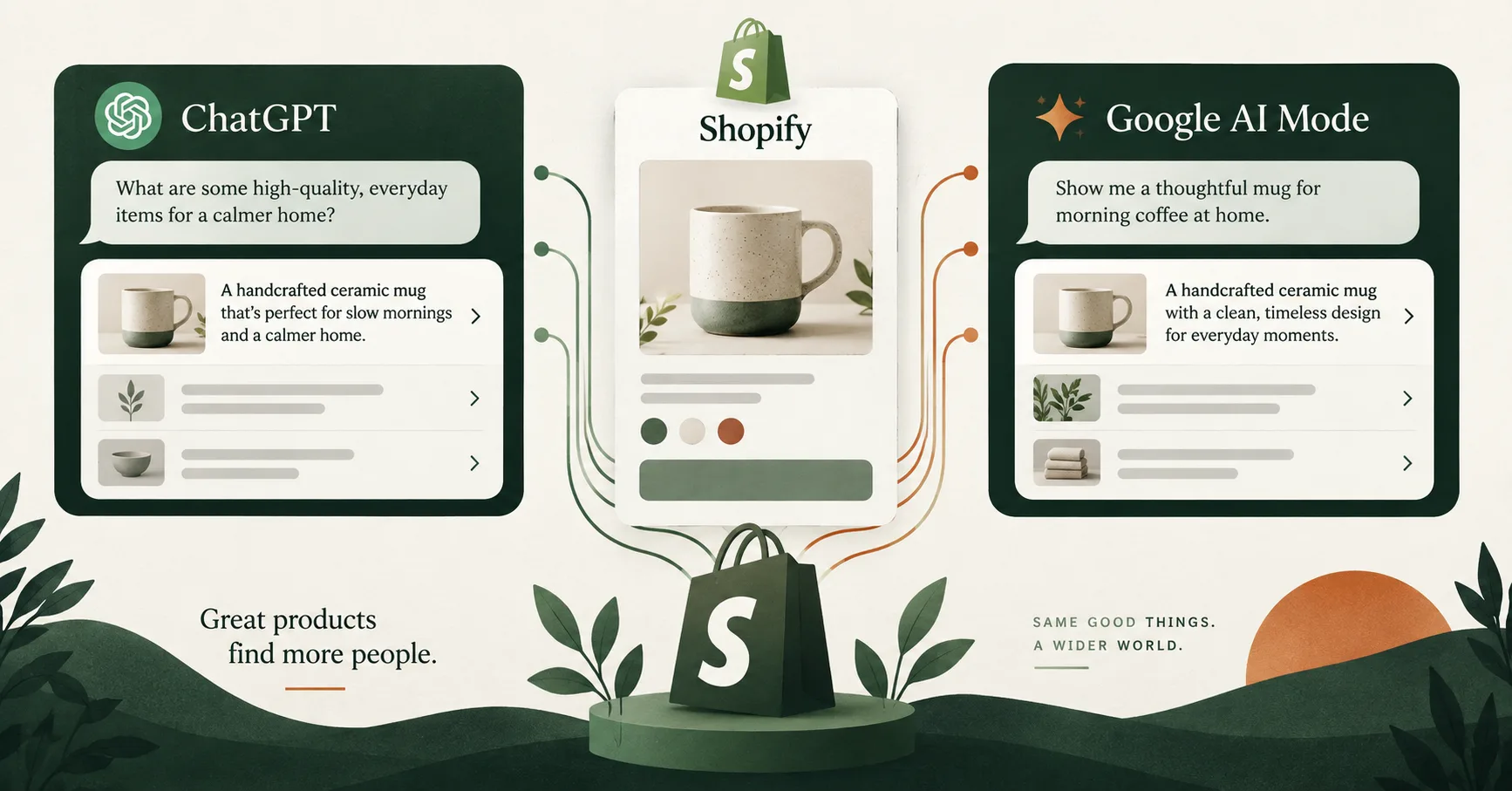
Summary: Shopify Catalog is the primary product-data path for ChatGPT discovery, while Google AI Mode depends on the Google & YouTube channel or Merchant Center. In both, accurate titles, descriptions, identifiers, variants, images and policies matter more than invented “AI SEO” tricks, and feed, page and structured-data values should match. Visibility is earned, not guaranteed.
Platforms in this guide
 ChatGPT
 Google AI Mode
 Shopify
In this guide
- What Shopify SEO for AI search means
- How ChatGPT and Google get product data
- How to prepare Shopify channels
- How to optimize product records
- How product pages support discovery
- Technical SEO and structured data
- Agent discovery files
- How to measure AI visibility
- A 30-day action plan
- Frequently asked questions
What is Shopify SEO for AI search?
In 2026, Shopify documents 2 main product-distribution routes for the channels covered here: Shopify Catalog for ChatGPT, and Google Merchant Center or the Google & YouTube sales channel for Google AI Mode. Shopify SEO for AI search aligns those feeds with indexable product pages and trustworthy store information.
The goal isn’t to write for a robot. It is to give every system the same specific answer about the product: what it is, who it helps, which variant is available, what it costs, when it can arrive and how returns work. That matters because conversational shopping queries carry several constraints at once. A shopper might ask for a waterproof daypack under a budget, sized for a laptop, available before Friday. A vague title and a lifestyle paragraph won’t answer that request. Structured attributes and plain-language product facts can.
Shopify’s guide to optimizing products for AI platforms says better data can increase the chance of inclusion, and warns that platform-specific factors affect results.
No app, schema block or copywriting formula guarantees placement.
The useful model: traditional SEO makes a page eligible to be found. Catalog SEO makes a product eligible to be matched. Conversion work makes that discovery commercially useful. A strong AI-search program needs all three.
If the store already receives ChatGPT traffic, keep organic discovery separate from paid acquisition. Our ChatGPT Ads for Shopify guide explains the advertising path, campaign setup and measurement.
How do ChatGPT and Google AI Mode get Shopify product data?
Shopify describes at least 3 ways an AI channel can find a product: Shopify Catalog, merchant-owned feeds and open-web crawling. The priority differs by channel. ChatGPT primarily uses Shopify Catalog for eligible products, while Google AI Mode relies on the Google & YouTube sales channel or Merchant Center.
| Discovery layer | ChatGPT | Google AI Mode and Gemini |
|---|---|---|
| Primary Shopify connection | Shopify Catalog | Google & YouTube sales channel or Merchant Center |
| Open-web pages | Can support discovery | Must be crawlable and eligible for Google Search |
| Purchase path | Merchant’s online store checkout | Store checkout or eligible Shopify-powered direct checkout |
| Merchant controls | Sales channels > Agentic and Shopify Catalog access | Google channel, Merchant Center and Agentic settings |
| Reporting | Shopify channel or referrer attribution | Shopify attribution and Merchant Center AI performance where available |
Shopify’s agentic storefront documentation says ChatGPT currently acts as a discovery-focused referrer. The shopper completes checkout on the merchant’s store, either inside a ChatGPT browser or in a new tab.
For Google, Shopify says AI Mode and Gemini can support Shopify-powered direct checkout for eligible stores and users. That rollout isn’t universal. Product discovery still depends on accurate Merchant Center data and eligibility.
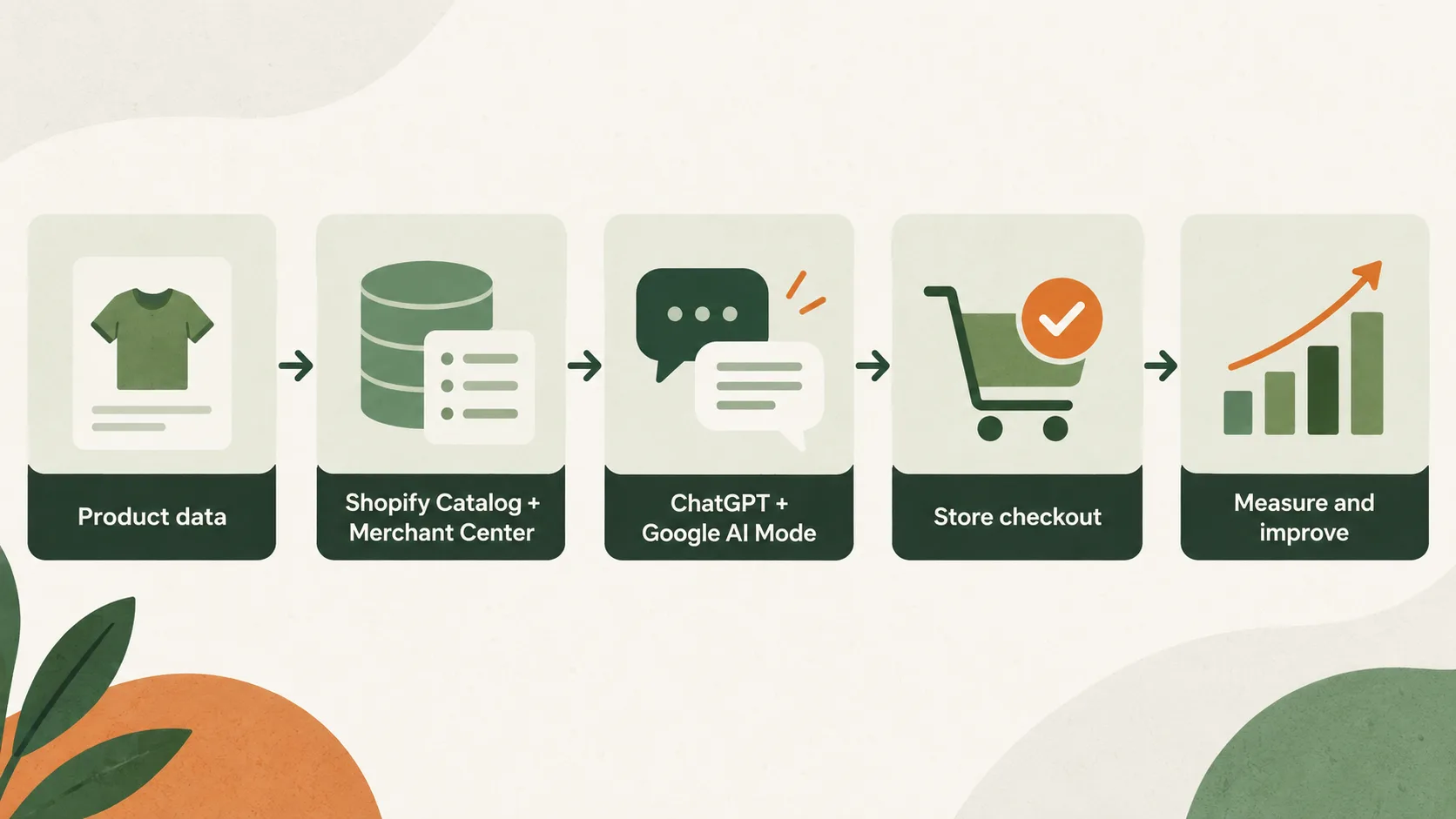
OpenAI’s Shopify shopping guidance points merchants to Shopify for eligibility, catalog access and attribution. That makes Shopify Admin the correct place to manage the connection, not an unofficial ChatGPT submission form.
Preparing Shopify for ChatGPT and Google AI Mode
Start with 4 checks: store eligibility, active agentic channels, product eligibility and feed health. Shopify says agentic storefronts are active by default for eligible stores, but channel availability and direct checkout still vary. Never assume that activation means every product is approved or visible.
1. Review agentic channel settings
Open Sales channels > Agentic in Shopify Admin. Confirm which AI channels are available and active. Read the supplemental terms, then document who owns product data, policies and channel monitoring. For ChatGPT, review Shopify Catalog access. For Google AI Mode, confirm the Google & YouTube channel or Merchant Center connection. A store can be active in one path and incomplete in the other.
2. Check product eligibility
Review active products for publishing status, market availability, stock and policy restrictions. Shopify notes that agentic storefronts support direct-to-consumer products. B2B-only items are excluded when Shopify can identify them.
Don’t expose a product that shouldn’t be purchased without qualification. Wholesale pricing, login-only products and custom access rules deserve manual review, especially when third-party apps control visibility.
3. Resolve diagnostics before rewriting copy
Fix rejected products, missing identifiers, price mismatches and unavailable landing pages first. Better prose cannot compensate for a feed error that prevents distribution.
Use Shopify Catalog Mapping when key data lives in metafields, metaobjects or custom title structures. Mapping lets the catalog use the intended source without forcing a storefront redesign.
Seven product fields that shape AI matching
Shopify lists 7 core product-data areas that can affect AI matching: title, description, images, organization, barcode, variants and option names. Improve each field with specific, verifiable facts. Keep the same facts consistent across Shopify, Merchant Center, structured data and the visible page.
Write titles for identification
A strong title identifies the product without forcing the system to infer basic attributes. Use the product type, defining feature, brand where useful and a meaningful variant detail. Avoid promotional phrases, repeated keywords and internal codes shoppers don’t recognize.
Instead of CloudSoft Pro, consider CloudSoft Women’s Waterproof Walking Shoe. The improved version answers product type, audience and a key feature. Only include “waterproof” when the product genuinely meets that claim.
Turn descriptions into decision data
Lead with what the product is and its primary use. Then cover materials, dimensions, compatibility, care, included items, limitations and ideal buyer. Write in natural language, but make facts easy to extract.
Google’s product-data guidance recommends descriptive attributes rather than search-term lists. Its product_detail specification supports clean key-value specifications such as material, connectivity, ingredients and power requirements.
Complete identifiers, categories and variants
Use valid GTINs when the manufacturer assigned them. Don’t invent identifiers. Add brand, product type and the closest relevant Google Product Category. Give options meaningful names such as Size and Colour, not Option 1 and Option 2.
Every variant should have the correct image, price, availability and identifier. Variant data is where feed and page mismatches often begin, especially after sales, bundles or seasonal catalog changes.
Use images that explain the product
Show the actual item clearly. Add useful angles, scale, packaging and relevant lifestyle context. Google recommends multiple high-resolution product images and specifically supports 1:1, 4:3 and 16:9 aspect ratios in merchant listing structured data.
Image alt text should describe what is visible. It shouldn’t be a hidden keyword list. If generative AI created a product image, review Google’s current AI-generated content requirements and preserve required provenance metadata.
Anatomy of an AI-search-ready product page
A useful product page answers 6 buying questions: what is it, who is it for, why is it different, which option fits, when will it arrive and what happens if it is returned. Those answers support people, search engines and AI systems at the same time.
Include these elements on the visible page:
- A descriptive product title and short answer-first summary.
- Current price, currency, availability and variant selection.
- Materials, dimensions, compatibility and care details.
- Original images with useful alt text.
- Shipping estimates and costs for the selected market.
- Return conditions, warranty and customer support access.
- Genuine reviews, common questions and clear limitations.
Google Search Central’s ecommerce content guidance recommends more than a bare catalog. Company information, category descriptions, merchant reviews and customer reviews can help shoppers at different stages.
The final step is conversion quality. AI visibility has little value when mobile shoppers encounter unclear delivery, broken variants or unexpected costs. Use the Shopify conversion audit checklist to review the journey after discovery.
Technical SEO and structured data for AI shopping
Google uses 2 complementary product-data sources: on-page Product structured data and a Merchant Center feed. Google says using both maximizes eligibility and helps it understand and verify product information. Shopify themes often output basic product schema, but merchants should test the actual rendered result.
Keep product pages crawlable and indexable
Canonical product URLs should return a successful response without login walls. Don’t block important product pages in robots.txt, and don’t add noindex to products you want in search. Submit the Shopify sitemap in Search Console and inspect representative URLs.
Google’s 2026 generative AI optimization guide says the fundamentals still apply. Pages need to be indexed and eligible for a Google Search snippet. There is no special markup that guarantees AI Mode inclusion.
Validate Product and Offer structured data
At minimum, the product entity needs a name, image and purchasable offer for merchant-listing eligibility. Recommended fields include description, brand, identifiers, category, ratings, shipping and return information where applicable.
Check that price, priceCurrency, availability and condition match the visible page and Merchant Center feed. Google’s supported structured-data attributes warns that mismatched values create validation problems.
Use Google’s Rich Results Test, then inspect live URLs in Search Console. Test several product types and variants, not only the homepage or one ideal SKU.
Strengthen internal discovery
Link products from relevant collections, buying guides and comparison content. Google explicitly recommends discoverable internal links for generative search features. Clear links also help shoppers move from a broad need to a suitable product.
For content operations that keep these pages current, review the AI brand context workflow. It helps teams produce consistent claims without letting an AI writing tool invent product facts.
Do agents.md and llms.txt improve Shopify rankings?
Shopify automatically serves 3 agent discovery URLs: /agents.md, /llms.txt and /llms-full.txt. Shopify calls /agents.md the canonical source. These files can describe the store, sitemap and policies, but Shopify says they don’t replace Catalog data and don’t guarantee rankings.
By default, all three URLs return the same store context. A third-party app isn’t required. Merchants can customize them through agents.md.liquid, llms.txt.liquid and llms-full.txt.liquid theme templates when there is a clear reason, but customization should be conservative. Keep factual store information current, link to canonical policies and avoid unsupported ranking claims. If the default output already describes the store accurately, product-data work is usually the higher-priority task.
Crawler controls are separate. Shopify’s product discovery documentation explains that robots.txt controls open-web crawler access, while activated Shopify Catalog distribution continues through its own channel. Blocking a crawler doesn’t automatically disable Catalog syndication.
Measuring Shopify visibility in AI search
Google’s AI performance report measures 3 shopping stages: discovery, evaluation and ready to buy. As of September 2026, Google lists the report for English-language queries in Australia, Canada, India, New Zealand and the United States. Availability can change by account and market.
In Merchant Center, open Analytics > Products > AI performance when the tab is available. Google’s AI performance insights documentation includes share of voice, query frequency and the number of products showing. It also surfaces top terms, popular attributes and search intent.
Use those findings to improve relevant product facts, not to paste every phrase into every title. A missing material or use-case attribute is actionable. A broad term with no product fit is not.
For ChatGPT and cross-channel measurement:
- Monitor Shopify’s channel and referrer attribution.
- Use consistent UTMs on campaign-controlled links.
- Group AI referrals separately from paid ChatGPT Ads.
- Track product impressions where the platform supplies them.
- Compare sessions, product views, add-to-cart rate, orders and contribution margin.
- Keep a dated log of feed, policy and page changes.
Google states that its AI performance report contains organic AI traffic, not paid ads. Preserve that distinction in dashboards. When the final purchase happens on the store, assess the full product-page and checkout experience, not only the referral count.
Your next 30 days, week by week
Use a 4-week sequence so changes remain measurable. The order matters: establish eligibility and data accuracy before expanding content. Otherwise, teams can spend weeks rewriting pages while product-feed errors still prevent distribution.
Week 1: map the discovery paths
- Review Agentic channel settings in Shopify.
- Confirm Shopify Catalog access for ChatGPT.
- Check Google & YouTube or Merchant Center status.
- List eligible D2C products and exclude unsuitable items.
- Capture current product and channel diagnostics.
Week 2: repair product data
- Rewrite unclear titles and opening descriptions.
- Complete identifiers, categories, variants and option names.
- Update images, alt text, inventory and price.
- Map metafields or custom sources into Shopify Catalog.
- Complete shipping, returns, warranty and support policies.
Week 3: verify pages and schema
- Test canonical URLs, indexing and sitemap coverage.
- Validate Product and Offer structured data.
- Compare page values with Merchant Center.
- Add useful specifications, FAQs and internal links.
- Run the store conversion audit on priority products.
Week 4: measure and improve
- Record AI referrals and Shopify attribution.
- Review Merchant Center AI performance when available.
- Prioritize missing attributes tied to relevant demand.
- Evaluate revenue with the unit economics calculator.
- Create a monthly feed and policy review owner.
By the end of the month the store should look less like an “AI SEO” project and more like product-data operations on top of sound ecommerce SEO. ChatGPT and Google AI Mode take different primary distribution paths, but both benefit from the same discipline: complete records, consistent facts, crawlable pages, clear policies and a trustworthy checkout. Keep organic AI discovery measured apart from paid media, and let commercial outcomes rather than visibility alone decide what to improve next.
Turn AI visibility into a working Shopify system
MlabsGrowth can review the product-data path, product-page experience and measurement plan so AI discovery connects to a store that can convert the visit.
Make your Shopify product pages convert AI-search visitors or build a reliable AI marketing workflow.
Frequently asked questions
Can Shopify products appear in ChatGPT?
Yes. Eligible Shopify products can appear in ChatGPT through Shopify Catalog and open-web discovery. Shopify describes ChatGPT as a discovery-focused referrer. Shoppers currently complete purchases through the merchant’s online store checkout rather than a Shopify-powered direct checkout inside ChatGPT.
How do Shopify products appear in Google AI Mode?
Shopify makes products available to Google AI Mode and Gemini through the Google & YouTube sales channel or Google Merchant Center. Eligible merchants may also receive Shopify-powered direct checkout, although Shopify says that rollout varies by store and user.
Do I need an llms.txt file for Shopify AI SEO?
Shopify automatically serves 3 agent discovery URLs: /agents.md, /llms.txt and /llms-full.txt. You don’t need an app to create them. Shopify also says these files are separate from Shopify Catalog and don’t replace complete, well-structured product data.
Does product schema guarantee visibility in ChatGPT or Google AI Mode?
No. Product structured data improves machine understanding and eligibility, but no platform guarantees inclusion or ranking. Google recommends combining on-page Product structured data with a Merchant Center feed, while Shopify says platform-specific factors still influence AI shopping results.
How can I measure Shopify visibility in AI search?
Use Shopify channel or referrer attribution, consistent UTMs and Merchant Center’s AI performance report where available. Google’s report separates organic AI traffic from paid ads and groups conversational shopping queries into 3 stages: discovery, evaluation and ready to buy.
Source notes
- Shopify agentic storefronts. Shopify Help Center. Accessed 22 September 2026.
- Shopify Catalog and product discovery for agentic storefronts. Shopify Help Center. Accessed 22 September 2026.
- Optimizing your products for AI platforms. Shopify Help Center. Accessed 22 September 2026.
- Selling on Google AI Mode and Gemini. Shopify Help Center. Accessed 22 September 2026.
- Shopping from Shopify merchants in ChatGPT. OpenAI Help Center. Accessed 22 September 2026.
- Optimizing your website for generative AI features on Google Search. Google Search Central. Accessed 22 September 2026.
- Introduction to Product structured data. Google Search Central, updated 10 December 2025. Accessed 22 September 2026.
- Merchant listing structured data. Google Search Central. Accessed 22 September 2026.
- Where ecommerce content can appear on Google. Google Search Central. Accessed 22 September 2026.
- About AI performance insights. Google Merchant Center Help. Accessed 22 September 2026.
- Supported structured data attributes and values. Google Merchant Center Help. Accessed 22 September 2026.
- Product detail attribute. Google Merchant Center Help. Accessed 22 September 2026.
- AI-generated content. Google Merchant Center Help. Accessed 22 September 2026.
