When Shopify filters are not showing, diagnose the failure by layer: theme display, filter configuration, product data, platform limits, indexing, then app or custom-code conflicts. Do not start by rewriting theme code. The visible symptom is similar across these failures, but the safe fix is different.
Use one affected collection, one known product, and one missing filter value as your test case. That keeps the investigation small enough to repeat across devices, languages, and markets.
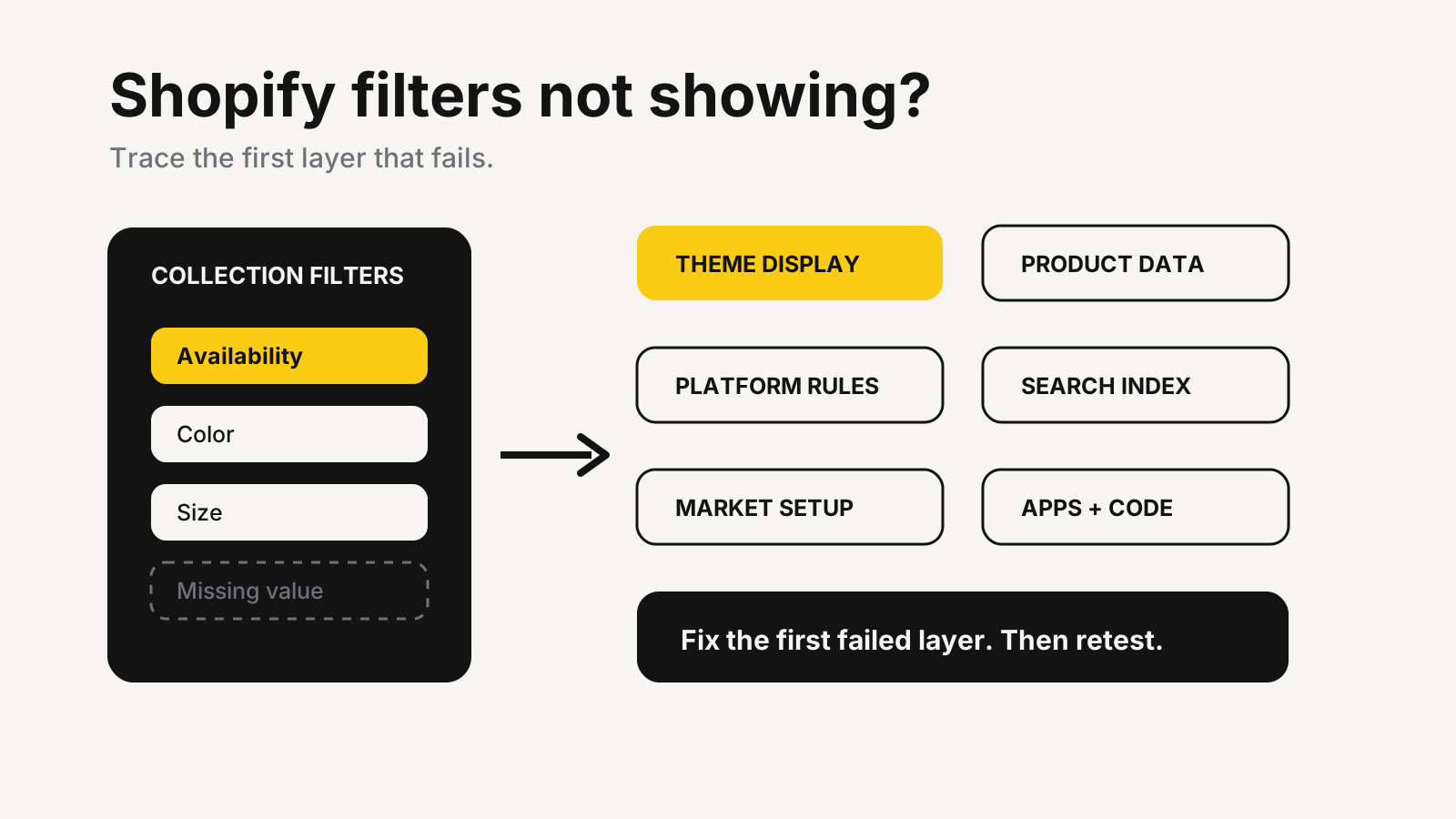
Shopify filters not showing: classify the symptom
Start with what the shopper sees. A missing filter panel, a missing value, an empty result, and a panel that updates only after refresh are separate failure classes. Mixing them wastes time because each points to a different layer.
| Storefront symptom | First place to inspect | Likely next check |
|---|---|---|
| No filters on any collection | Theme support and Product grid setting | Search & Discovery configuration |
| One filter is absent | Products in that collection have no applicable values | Filter source and product assignment |
| Some values are absent | Catalog naming, empty values, or value limits | Indexing and translations |
| Price filter disappears in another currency | Market currency | Shopify’s price-filter limitation |
| Results change only after refresh | Theme JavaScript, app embed, or custom code | Clean theme comparison |
| Products vanish after applying filters | Product-level versus variant-level logic | Filter URL and inventory state |
Shopify says only filters that apply to products in the current collection or search result are displayed in its Search & Discovery filter documentation. A missing filter can therefore be correct behavior when the collection contains no usable values.
The fastest diagnostic order
Work from configuration toward code. Each check should produce a pass or fail that narrows the next move. Take screenshots and copy the affected URL before changing anything.
Confirm theme support and the visible setting
Open the affected collection template in the theme editor, then inspect its Product grid section. Shopify’s storefront filtering setup says supported themes include a setting that activates or deactivates filtering; some unsupported third-party themes may not warn you.
Preview the exact template assigned to the affected collection. A filter can work on the default collection while another template keeps it disabled. Compare desktop and mobile because themes often render the filter panel differently.
Match the filter source to real product data
Open Search & Discovery and confirm the filter is active. Then inspect one product that should appear. Product-option filters depend on product option names, while custom filters depend on the relevant metafield or metaobject data. Color and Color: are different option names; Shopify explicitly identifies inconsistent option titles as a cause of missing values.
Use a small sample matrix: affected product, working product, expected value, stored value, assigned collection, and storefront result. The Shopify size chart framework applies the same principle to measurement data: customer-facing controls are only as dependable as the product-level source behind them.
Check empty-value behavior and filter logic
Search & Discovery can hide empty values, move them to the end, or leave them in the normal order. If every value is empty for the current result set, Shopify can hide the whole filter. Also confirm whether a list filter uses or or and behavior. A stricter condition can make a healthy control look broken by returning nothing.
Shopify’s developer documentation explains that storefront filters use product-level and variant-level URL parameters. Copy the URL after applying a value. If the expected parameter appears but the grid is wrong, the problem is later in the rendering path, not the filter button.
Allow for indexing, then isolate code
Recent metafield or product changes may not appear immediately. Shopify’s current troubleshooting guidance says automatic re-indexing can take 24 to 48 hours; it suggests making a small product update to trigger re-indexing and contacting Shopify Support if the issue persists. Avoid repeatedly rebuilding a correct filter while the index catches up.
If the data and index are sound, test an unedited copy of a supported theme. Shopify’s theme troubleshooting process recommends isolating storefront apps that were recently installed or updated. Compare one variable at a time, and do not uninstall a revenue-critical app from the live theme without a rollback plan.
Platform limits that mimic broken filters
Native limits can remove an entire filter or truncate its values. Shopify currently documents these controls:
- Collections with more than 5,000 products do not display filters.
- A storefront filter displays at most 100 values.
- Search & Discovery can show at most 1,000 values for a filter inside the app, with some metafield filters showing fewer.
- A store can combine standard and custom sources up to 25 filters.
- The price filter does not display when the shopper selects a currency other than the store’s default currency.
All five limits come from Shopify’s Search & Discovery filter documentation. Do not treat them as performance suggestions. They change what can appear.
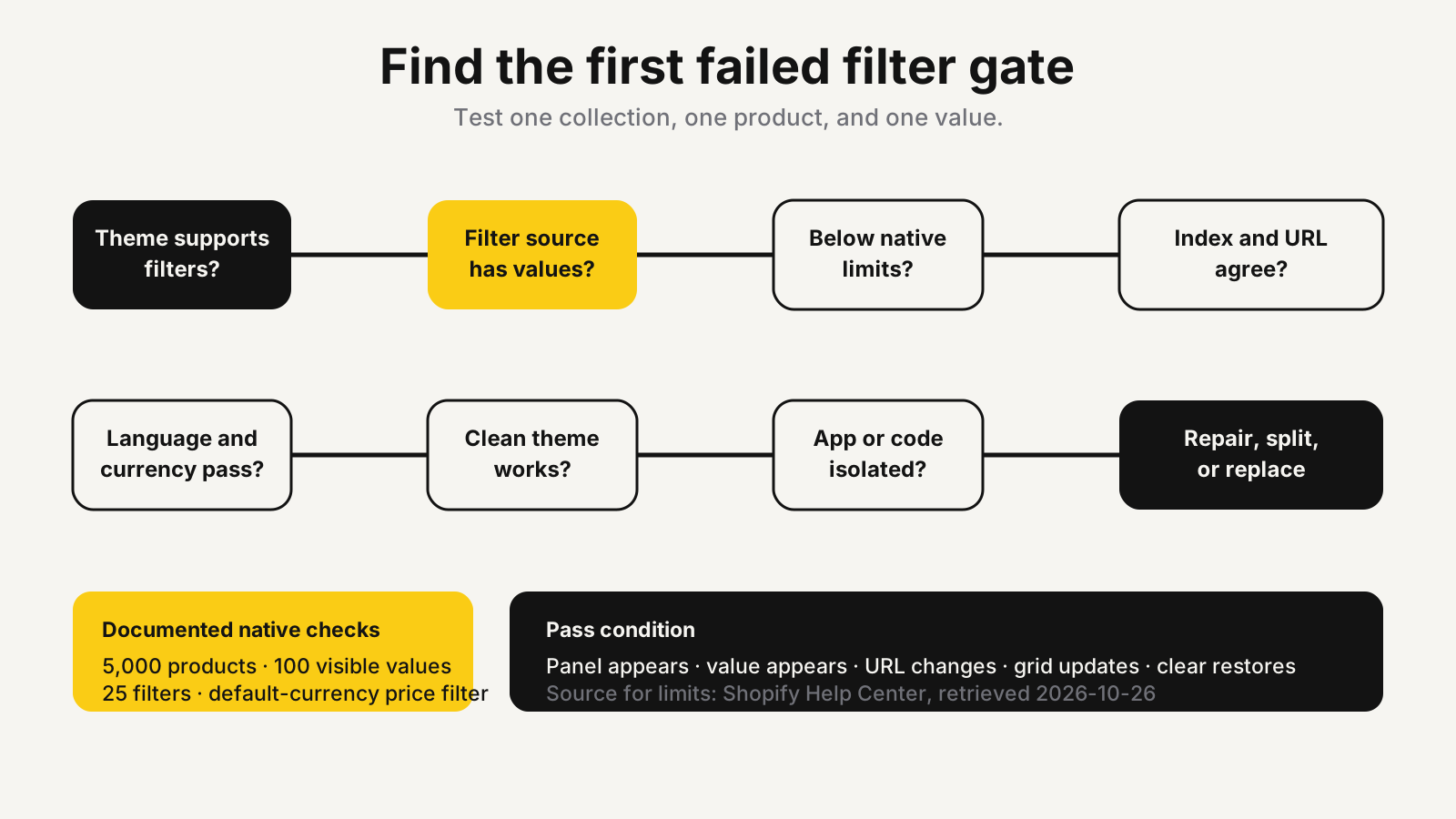
When a collection crosses the product limit, split it into shopper-meaningful collections rather than arbitrary batches. If a filter exceeds the visible value limit, group equivalent labels or replace a high-cardinality attribute with a more useful buying dimension. A filter for hundreds of model names may need search or a dedicated fitment interface, not a longer sidebar.
Market and language failures need separate tests
A filter that works in the default storefront can still fail elsewhere. Test the default language and currency first, then every published language and key market. Record the market, language, currency, collection template, filter label, and result count for each failure.
Shopify states that product-tag filters display only in the store’s default language, vendor values stay based on that language, and price filters disappear outside the default currency. It also says market-specific instances of a language do not create separate filter-value translations. These constraints matter in the EU, Canada, the Middle East, India, and Southeast Asia where one storefront may combine several languages and currencies.
Do not patch a market limitation with misleading labels. Use a supported metafield filter when it gives the catalog and translation team enough control, or redesign the collection path so shoppers can reach the right set without that filter.
A clean-room test before editing code
Create a controlled test on an unpublished theme. Use one collection below the documented product limit, a few active products, one standard filter, and one consistent custom value. Keep apps and custom scripts out of the first pass.
Verify that the panel appears, the value appears, the URL changes, the grid updates without refresh, the result count is plausible, and clearing the value restores the collection. Repeat on a phone and with keyboard navigation. Then add the production theme, apps, translations, and market settings back one layer at a time.
This is the point to use the Shopify conversion audit checklist. A technically working filter can still be hard to find, obscure the product count, trap focus on mobile, or return combinations that make no commercial sense.
Repair, split, or replace
Repair the native setup when the theme supports filters and the problem is configuration, incomplete product data, indexing, or a contained code conflict. Split a collection when it exceeds native limits or combines products that shoppers do not evaluate together. Consider a specialist app or custom interface only when the buying logic genuinely exceeds native filtering.
Before replacing native filters, write acceptance checks for collection speed, mobile interaction, analytics, empty results, translated labels, app removal, and rollback. The new layer should solve a defined catalog problem. It should not merely hide an inconsistent data model behind a more attractive panel.
Turn broken filters into a clear product path
MlabsGrowth can trace theme, catalog, market, and collection-page failures, then prioritize the smallest repair that helps shoppers narrow the right products.
Improve Shopify collection-page conversion or browse all MlabsGrowth services.
Sources
- Shopify Help Center, Adding filters with Shopify Search & Discovery, retrieved 2026-10-26; no publication date shown.
- Shopify Help Center, Add storefront filtering, retrieved 2026-10-26; no publication date shown.
- Shopify.dev, Storefront filtering, retrieved 2026-10-26; no publication date shown.
- Shopify Help Center, Troubleshooting your online store theme, retrieved 2026-10-26; no publication date shown.
