A Shopify sticky add to cart bar is worth testing when shoppers must scroll far beyond the main buy button before they can decide. It should shorten the path back to purchase, but only if it carries the selected variant, price, quantity, availability, and cart behavior without covering the page.
Treat it as a controlled product-page change, not an automatic conversion win. A bar that adds the wrong variant or hides a size guide creates a faster route to the wrong order.
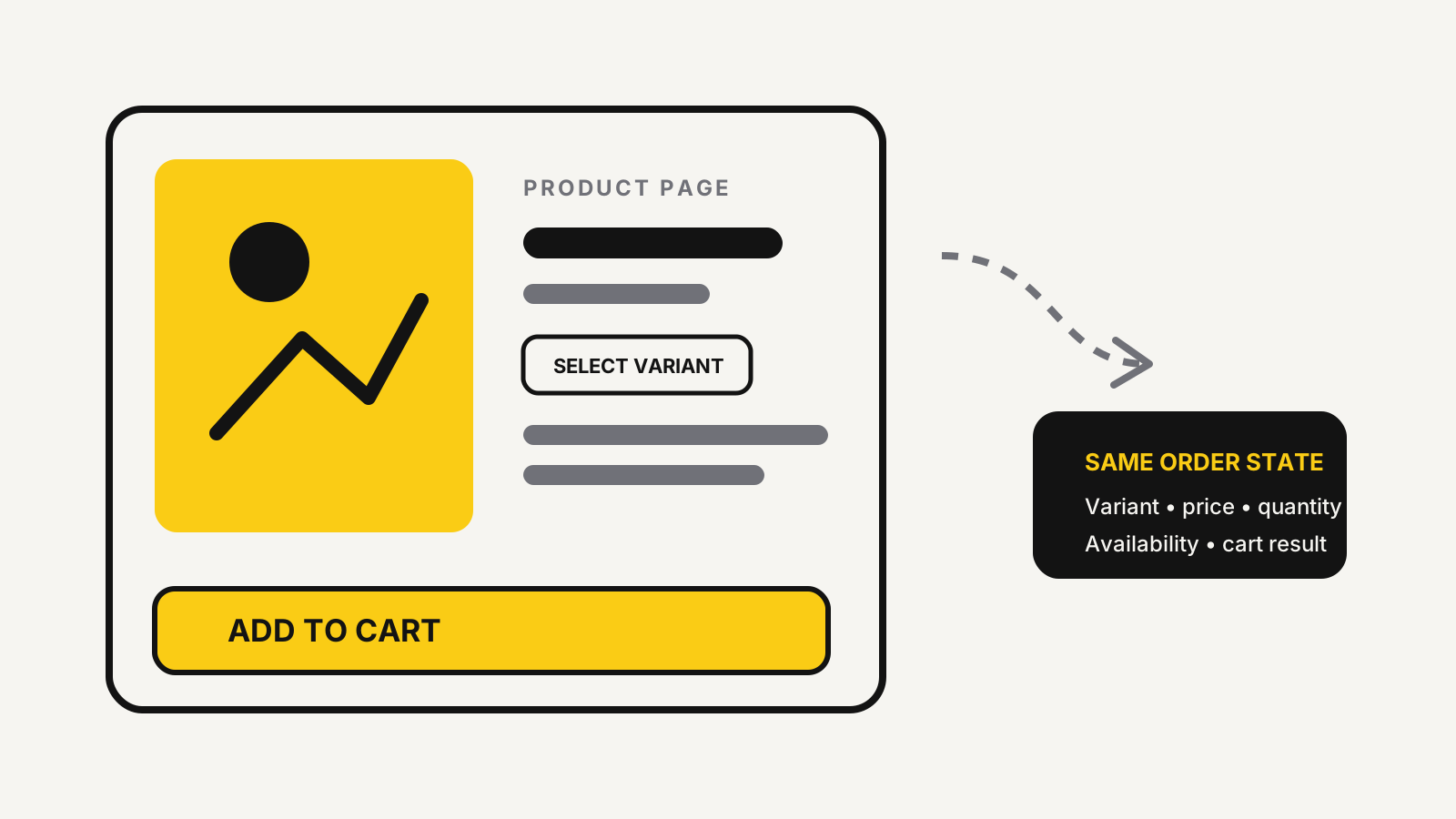
A sticky bar earns its place on long product pages
The useful trigger is the moment the original purchase control leaves the viewport while the shopper continues reading. Long galleries, specifications, reviews, size information, and delivery notes can all create that gap.
Review mobile recordings or scroll data, then test the page on small and large phones. If shoppers can already reach the main button without effort, a floating control may add clutter.
The bar should also disappear when the original product form returns, the footer enters view, or another essential control needs the same screen space. That prevents two competing purchase buttons and reduces collisions with chat, cookie, accessibility, and payment widgets.
The Shopify conversion audit checklist provides a wider product-page baseline. Fix unclear price, shipping, returns, imagery, and variant labels before adding a persistent button that merely follows the shopper past those gaps.
Shopify sticky add to cart failure modes
Most failures come from treating the bar as a visual duplicate. Shopify’s product template documentation explains that the product form can include a variant selector, quantity input, accelerated checkout buttons, and line-item properties. A sticky control must preserve the parts that affect the order.
Watch for these mistakes:
- Variant drift: the main selector shows one size or colour while the sticky bar submits another variant.
- Quantity drift: the shopper changes quantity in one control, but the other keeps its default.
- Lost customisation: engraving, bundle choices, subscriptions, selling plans, or file uploads do not reach the cart.
- Stale price or availability: a changed variant keeps the previous price, discount, image, or sold-out state.
- Broken cart feedback: the item is added, but the cart count, drawer, free-shipping bar, or live message does not update.
- Duplicate submission: one tap sends two add requests because the sticky script and theme form both handle the event.
- Wrong destination: the bar jumps to checkout while the main button opens a cart drawer, bypassing information the shopper expects to review.
Shopify’s troubleshooting note for missing parameters says an add-to-cart request fails when the variant ID or quantity is missing or invalid. The safer implementation reuses the active product form or mirrors its full state, rather than creating a disconnected shortcut.
The state-sync test before release
Test the sticky control as a second interface to the same order state. For every scenario, compare what the product page shows, what the request submits, what the cart displays, and what reaches the order record.
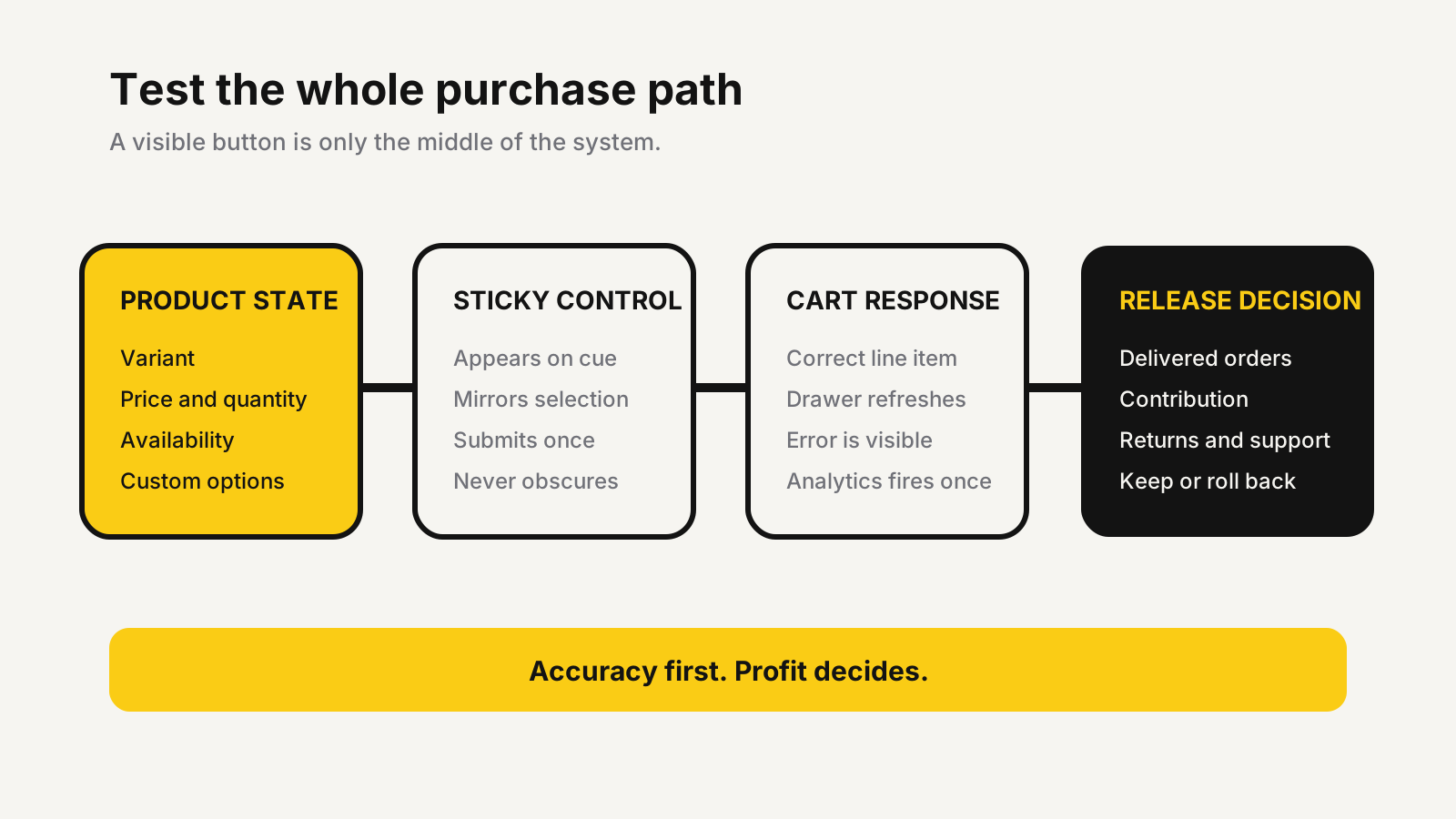
Build a test matrix using a simple product, a multi-variant product, a sold-out variant, a discounted item, and a product with custom options. Add subscription or preorder cases when offered. Repeat it in every active template and market.
After each add, verify the cart line, image, price, quantity, properties, selling plan, discount, and inventory message. Then remove the item, change the variant, and add again. This catches stale state that a single happy-path test misses.
If the theme uses an Ajax cart, the drawer must refresh without a full reload. Shopify’s Cart API reference allows bundled rendering for up to five sections in the same cart request, so the response can update the drawer, item count, live region, and related cart areas together. Reusing the theme’s existing cart pathway is usually safer than inventing a second one.
The Shopify Rollouts testing plan is useful when the store can stage the change. Keep a rollback path even when the bar comes from a theme setting or app, because theme updates and app changes can alter selectors later.
Mobile access and performance are release gates
A sticky footer can hide the exact information a shopper needs before buying. Test size-chart triggers, review filters, accordions, chat launchers, cookie controls, browser controls, and form errors at common phone widths. Rotate the device and enlarge text as well.
WCAG 2.2 requires pointer targets to be at least 24 by 24 CSS pixels, subject to listed exceptions. It also requires that a focused interface component is not entirely hidden by author-created content. The W3C’s sticky footer failure example specifically warns that fixed content can cover a keyboard-focused control.
Performance matters because the sticky control is interactive. Shopify’s web performance overview defines a good Interaction to Next Paint result as below 200 milliseconds and says at least 75% of page loads must meet the good thresholds across all Core Web Vitals for the overall result to be considered good. Check the web performance report before and after launch, split by mobile and desktop.
Do not accept a slower page merely because the bar receives clicks. Remove duplicate libraries, load nonessential code later, and prefer the theme’s existing product and cart events.
A profit-first A/B decision rule
Judge the change by completed, profitable orders, not sticky-button clicks. Shopify’s behavior reports define a four-step conversion funnel: all sessions, sessions with cart additions, sessions that reached checkout, and sessions that completed checkout. Those stages reveal whether the bar creates real progress or only more cart activity.
Use one clean control and one sticky-bar variant. Keep price, promotion, traffic mix, product content, and checkout changes stable where possible. Segment mobile and desktop because the screen-space tradeoff is different.
Illustrative example: each test group receives 10,000 product-page sessions. The control produces 800 cart additions, 360 completed orders, and 320 delivered orders. The sticky variant produces 920 cart additions, 372 completed orders, and 318 delivered orders. The higher add-to-cart count looks promising, but delivered orders fall.
Now add economics. Illustrative example: if contribution after product cost, fulfilment, payment fees, returns, and acquisition is $12 / £9.50 / ₹1,000 per delivered order, the control contributes $3,840 / £3,040 / ₹320,000 while the variant contributes $3,816 / £3,021 / ₹318,000. The sticky bar loses the decision despite more cart additions.
Use the unit economics calculator to replace those illustrative values with the store’s own costs. Also check cancellations, returns, duplicate lines, support contacts, and page performance. Keep the change only when the whole pattern improves and the result is large enough to justify its maintenance risk.
Global storefront checks
The interaction is global, but product rules are not. A sticky bar must show the active currency, translated variant labels, tax presentation, payment language, and availability. It must preserve right-to-left layouts and longer button text without clipping.
Test slow connections and older phones common in every region, not only the team’s newest device. Then test market-specific paths: cash on delivery where offered, duties messaging for cross-border orders, local subscription limits, preorder wording, and delivery promises. The control should never present a faster commitment than the underlying product and fulfilment rules support.
Before release, confirm an implementation owner, an analytics owner, a rollback method, and a review after updates. The cart abandonment measurement guide helps separate product-page hesitation from cart and checkout loss.
Test the purchase path before widening the rollout
MlabsGrowth can review the product form, sticky control, cart behavior, mobile layout, analytics, and delivered-order economics, then turn the findings into a controlled Shopify test.
Improve Shopify product-page conversion or browse all MlabsGrowth services.
Sources
- Shopify Developers, Product template overview, accessed 2026-10-25.
- Shopify Developers, Fix “Parameter Missing or Invalid” errors, accessed 2026-10-25.
- Shopify Developers, Cart API reference, accessed 2026-10-25.
- Shopify Help Center, Overview of web performance, accessed 2026-10-25.
- Shopify Help Center, Behavior reports, accessed 2026-10-25.
- W3C, Web Content Accessibility Guidelines (WCAG) 2.2, W3C Recommendation dated 2024-12-12, accessed 2026-10-25.
- W3C Web Accessibility Initiative, Failure F110: sticky footer or header hiding focused elements, accessed 2026-10-25.
