Shopify quantity breaks should reward a larger purchase without pushing the order below its contribution floor. Start with the lowest acceptable contribution per order, work backwards to a minimum unit price, then show only the tiers that fit how customers actually use the product.
The offer can be simple. The arithmetic cannot.
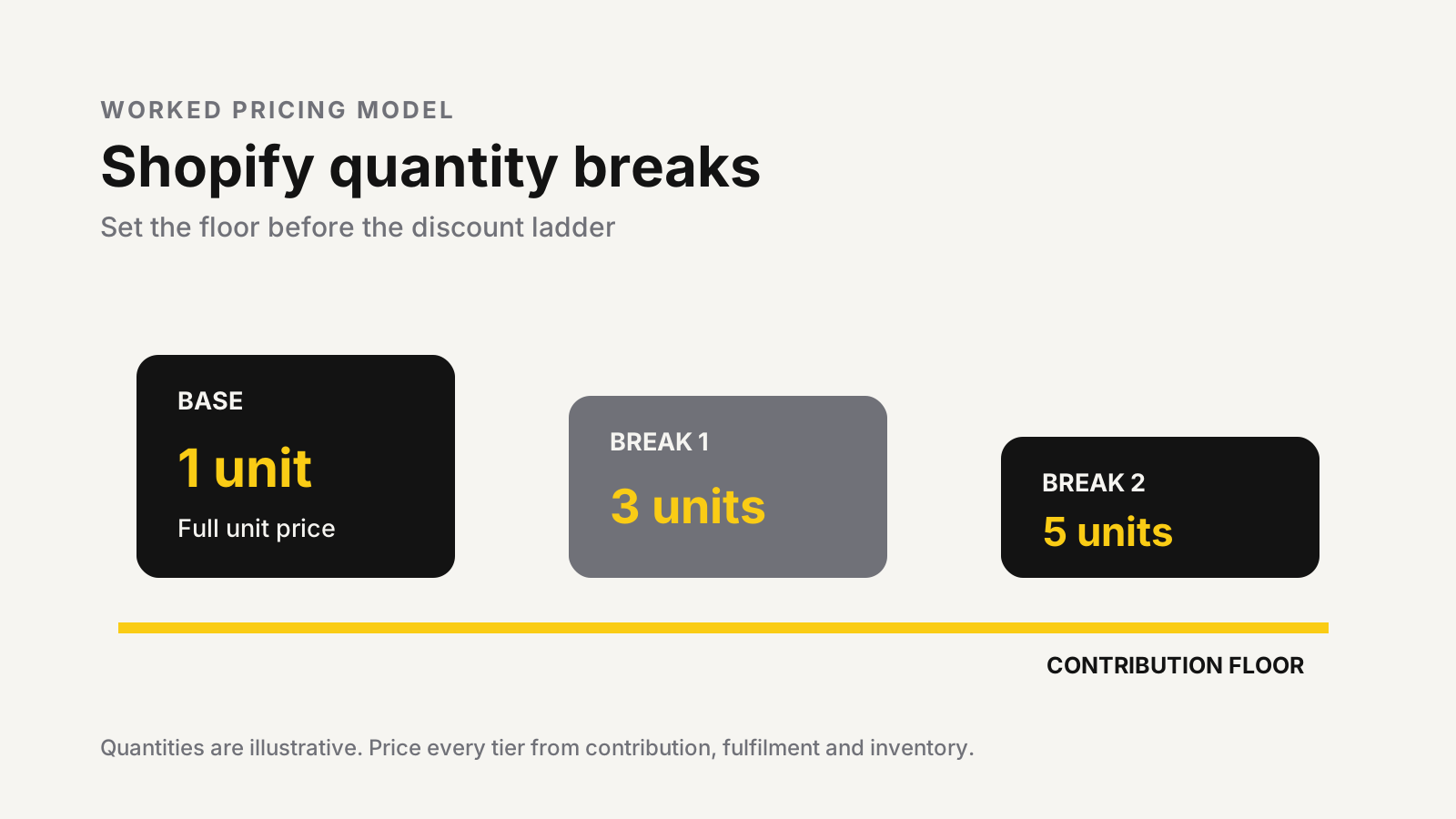
Shopify quantity breaks start with contribution
A quantity break reduces the price per unit after the cart reaches a defined quantity. It is different from a fixed bundle: the shopper buys more of the same product or eligible group, while the unit price changes at each threshold. The existing bundle pricing model is better when several products form one set.
Judge each tier on contribution, not revenue alone.
Tier revenue = quantity x discounted unit price

Tier contribution = tier revenue
- product cost
- pick, pack and packaging
- payment cost
- shipping subsidy
- expected return or replacement cost
- variable acquisition cost
Some costs rise per unit. Others rise once per order. That distinction is why a small price reduction can work when extra units share packaging and shipping, yet fail when weight bands, fragile packing, or return exposure jump at the same threshold.
Use the unit economics calculator to establish the single-unit baseline before building the ladder.
A worked quantity-break calculation
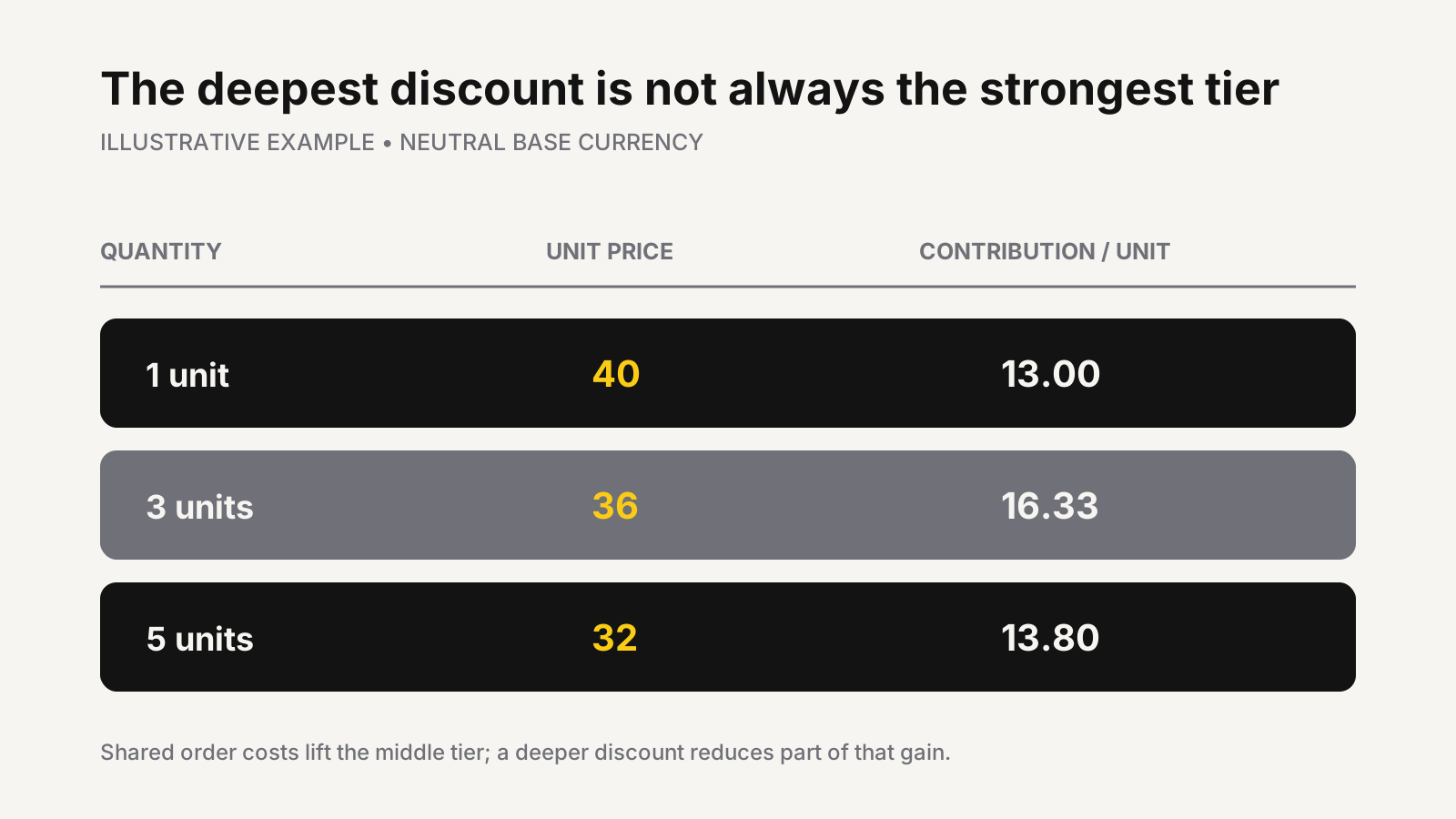
Consider this illustrative example in a neutral base currency. One unit sells for 40 and costs 14. Payment, fulfilment, shipping subsidy, expected returns, and allocated acquisition add 13 per order plus 2 for each extra unit.
| Illustrative tier | Unit price | Revenue | Total variable cost | Contribution | Contribution per unit |
|---|---|---|---|---|---|
| 1 unit | 40 | 40 | 27 | 13 | 13.00 |
| 3 units | 36 | 108 | 59 | 49 | 16.33 |
| 5 units | 32 | 160 | 91 | 69 | 13.80 |
The illustrative middle tier produces more contribution per unit than the single-unit order because shared order costs are spread across three units. The five-unit tier still produces more total contribution, but it gives back part of that efficiency through a deeper discount.
This is the decision point. If the business requires at least 14 contribution per unit on larger orders, the illustrative five-unit tier fails even though revenue and total contribution are higher. A lower unit price is not automatically a better offer.
Choose a setup that matches the offer
Shopify gives merchants several routes, but they are not interchangeable.
| Requirement | Practical route | Main limitation to test |
|---|---|---|
| One threshold, such as buy three and save | Native amount-off product discount | The product page needs clear offer messaging |
| Several visible consumer tiers | Quantity-break app or custom Shopify Function | Widget speed, variant counting, and discount combinations |
| Contract pricing for B2B buyers | Shopify B2B catalog volume pricing | Each variant must meet its own qualifying quantity |
Shopify’s amount-off discount documentation allows a minimum quantity of eligible items. That is suitable for one straightforward threshold. A true multi-tier consumer ladder usually needs an app or custom function so the product page, cart, and checkout agree on the active price.
For B2B, Shopify’s quantity rules and volume pricing support minimums, maximums, increments, and up to 10 price breaks per product. Qualification is variant-specific: quantities of different variants do not combine to reach a break.
Build the ladder from a floor price
Set the minimum acceptable contribution first. Then calculate the lowest unit price each quantity can support.
Minimum tier revenue = total variable cost + required contribution

Minimum unit price = minimum tier revenue / quantity
Next, inspect order data. Look for natural multiples, replenishment cycles, common household quantities, and the point where shipping or packaging changes. A three-unit threshold is useful only when three units solve a credible customer need.
Keep the ladder short. One base price and two meaningful breaks are easier to compare than a wall of choices. Show the unit price, total price, saving, and exact quantity together. Do not make shoppers calculate the offer in their heads.
The bundle planner can model multi-product offers; for a same-product ladder, use the same discipline but calculate inventory and variable cost for every unit in the tier.
Variant, inventory, and fulfilment rules
Decide whether quantity counts by variant, product, collection, or cart. A customer buying two sizes may expect the combined quantity to qualify, while an app may count each variant separately. Write that rule down before choosing the implementation.
Inventory must follow the same logic. If the offer sells five physical units, Shopify should decrement five units, not one artificial pack SKU unless that pack has a reliable component-inventory relationship. Check the inventory planning calculator before promoting a tier that could accelerate a stockout.
Also test weight bands, carton capacity, pick time, damaged-item policy, and partial returns. A five-unit order can cross a shipping threshold that erases the discount’s apparent gain. For return-prone products, define whether a partial return reprices the kept units or preserves the original tier.
Markets and discount combinations
Percentage offers are the cleanest global option because they do not carry a currency. Shopify’s local-currency discount guidance explains that fixed amounts are set in the store currency and converted at checkout, so displayed savings can shift with exchange rates.
Discount stacking needs an explicit policy. Shopify’s Discount Function API supports tiered product, order, and shipping offers, but function outputs still follow the combination and stacking rules configured on the discount. An app cannot safely ignore the rest of the promotion calendar.
Test the quantity break with welcome codes, loyalty offers, automatic promotions, subscriptions, free shipping, and every intended market. The customer-facing price should match the product-page promise after all eligible discounts apply.
Launch with a boundary test
Test immediately below, at, and above every threshold. For an illustrative three-unit break, that means carts containing two, three, and four eligible units. Repeat the set for mixed variants, excluded products, mobile, accelerated checkout, each target market, and any subscription purchase type.
Record four measures against a clean baseline:
- contribution per visitor;
- units per order;
- conversion rate;
- return or cancellation rate.
Quantity breaks can raise units per order while lowering contribution per visitor if the offer discounts purchases that would have happened anyway. Start with one suitable product, keep a holdout where possible, and review contribution before rolling the ladder across the catalog.
Price the ladder before adding the widget
MlabsGrowth can map quantity tiers to product economics, configure the storefront path, and test the offer from product page through checkout.
Build a profitable Shopify quantity-break offer or browse all MlabsGrowth services.
Sources
- Shopify Help Center, Amount off discounts, retrieved 2026-10-28; no publication date shown.
- Shopify Help Center, Setting up quantity rules and volume pricing in B2B, retrieved 2026-10-28; no publication date shown.
- Shopify Help Center, Discounts in local currencies, retrieved 2026-10-28; no publication date shown.
- Shopify.dev, Discount Function API, retrieved 2026-10-28; no publication date shown.
