Shopify Rollouts lets a merchant launch, schedule, or test connected store changes without treating every theme, checkout, catalog, and discount update as a separate release. Shopify redesigned the setup on September 22, 2026, then added discount support in the 2026-10 API release.
That timing matters before Black Friday and Cyber Monday. A native test is useful only when the hypothesis is narrow, the offer is consistent across channels, and the winner is judged on profitable orders rather than conversion rate alone.
The September redesign and the October discount release
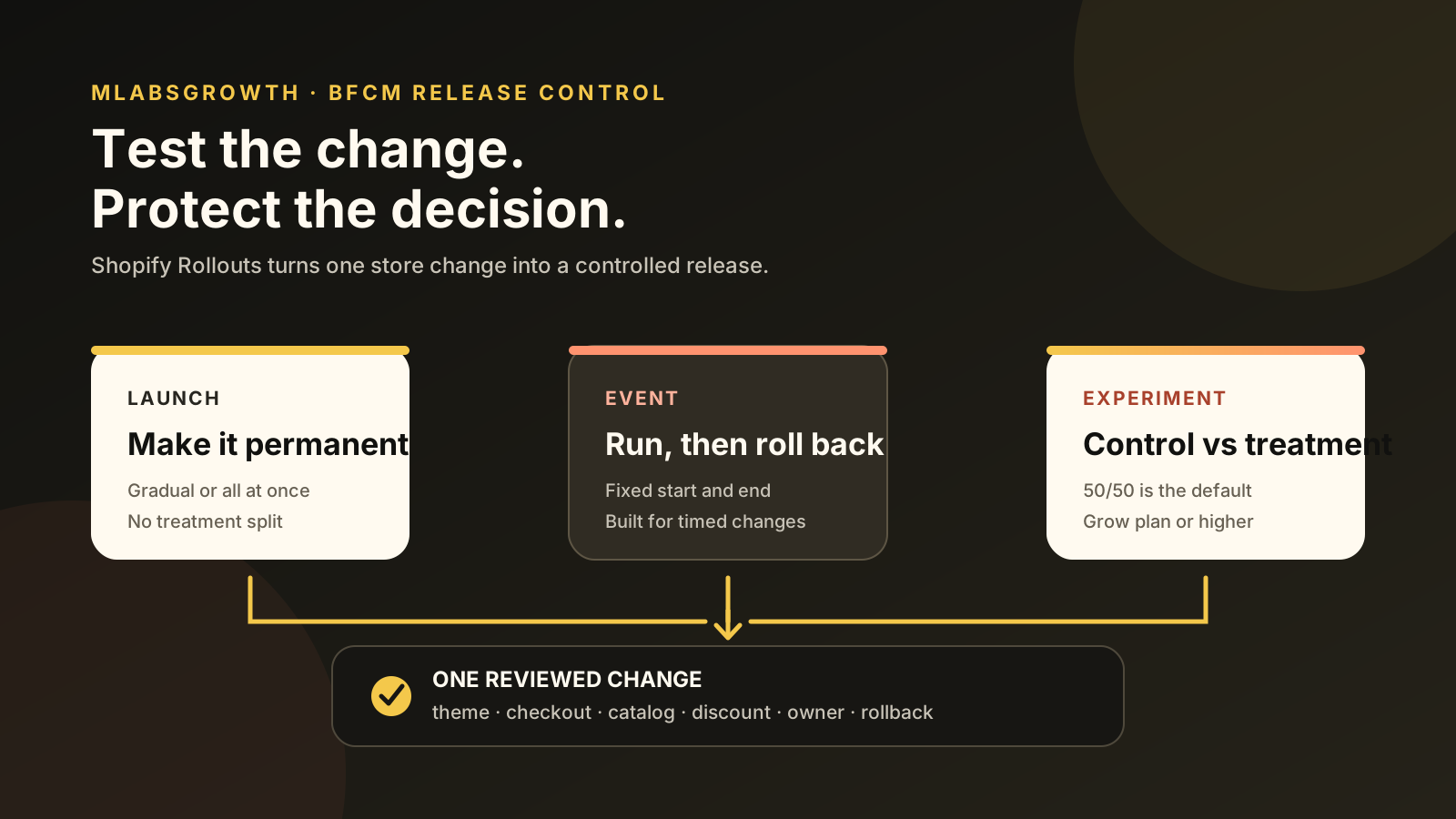
Shopify now frames Rollouts around three distinct jobs. A Launch makes a controlled permanent change, an Event publishes changes for a set period and rolls them back, and an Experiment splits eligible visitors between a control and treatment. The September 22 redesign also brought timing, traffic, audience, and conflict checks into one setup flow.
The October 1 developer release widened the surface. Discounts can now sit beside theme, checkout and accounts, and catalog changes. Apps can also read rollout schedules, traffic allocation, affected resources, and lifecycle changes through the Admin GraphQL API when they have the required access.
This intent is different from building a theme in Canvas. The Shopify Canvas launch checklist covers design and release quality; Rollouts controls how a finished change reaches shoppers and whether it stays.
Which rollout type fits the change?
Shopify documents three rollout types, and each answers a different commercial question. Start with the decision you need, not the feature you want to use. A permanent release, a timed promotion, and a causal test should not share the same success rule.
| Rollout type | Best used for | Default behavior | Main risk |
|---|---|---|---|
| Launch | A change intended to remain | Applies to eligible visitors and merges permanently | Releasing broadly before operational checks are complete |
| Event | A temporary sale or seasonal experience | Requires an end date and rolls back automatically | Catalog or feed sync lag after rollback |
| Experiment | A controlled comparison | Defaults to a 50/50 control-treatment split and a 90-day end date | Calling a winner before enough relevant orders arrive |
Shopify’s Types of rollouts and changes guide says Launch and Event use traffic allocation, while Experiment adds a treatment split. Experiments require Grow or higher; Rollouts generally are available on Basic or higher.
Use Launch when the decision is already made but exposure should be gradual. Use Event when the store must return to its prior state at a known time. Use Experiment when uncertainty is real and the result will change what you ship.
What should you avoid? Do not label a BFCM launch as an experiment merely because traffic can be split. If the team will publish the treatment regardless of the result, the setup creates analytical theatre rather than evidence.
What can you change with Shopify Rollouts?
A rollout can coordinate four resource types: the main theme, checkout and accounts configuration, catalogs, and discounts. Shopify allows one main-theme change, one checkout and accounts change, one or more catalog changes, and one discount change containing selected discounts.
The useful combination is also the dangerous one. A campaign can change the landing experience, checkout treatment, market catalog, and promotion together. That may be right for a scheduled launch, but it is a poor experiment because the result cannot identify which change caused the difference.
Shopify’s requirements and considerations add five controls worth checking:
- Experiments and any rollout below 100% traffic apply only to the Online Store.
- Theme and checkout changes do not cover headless or custom storefronts.
- A partial catalog rollout can make the Online Store differ from feeds, ads, apps, or other channels.
- A discount can be part of only one unfinished rollout at a time.
- One rollout can include up to 250 discounts, while their own active dates and combination rules still apply.
Shopify’s developer note on discounts in Rollouts makes the channel boundary explicit: 100% effective traffic can make the discount available across eligible channels, while partial-traffic activation is limited to the Online Store.
Before adding a discount, compare the proposed depth with the holiday discount strategy. A clean traffic split cannot rescue an offer that falls below the product’s margin floor.
A profit-first BFCM test in six gates
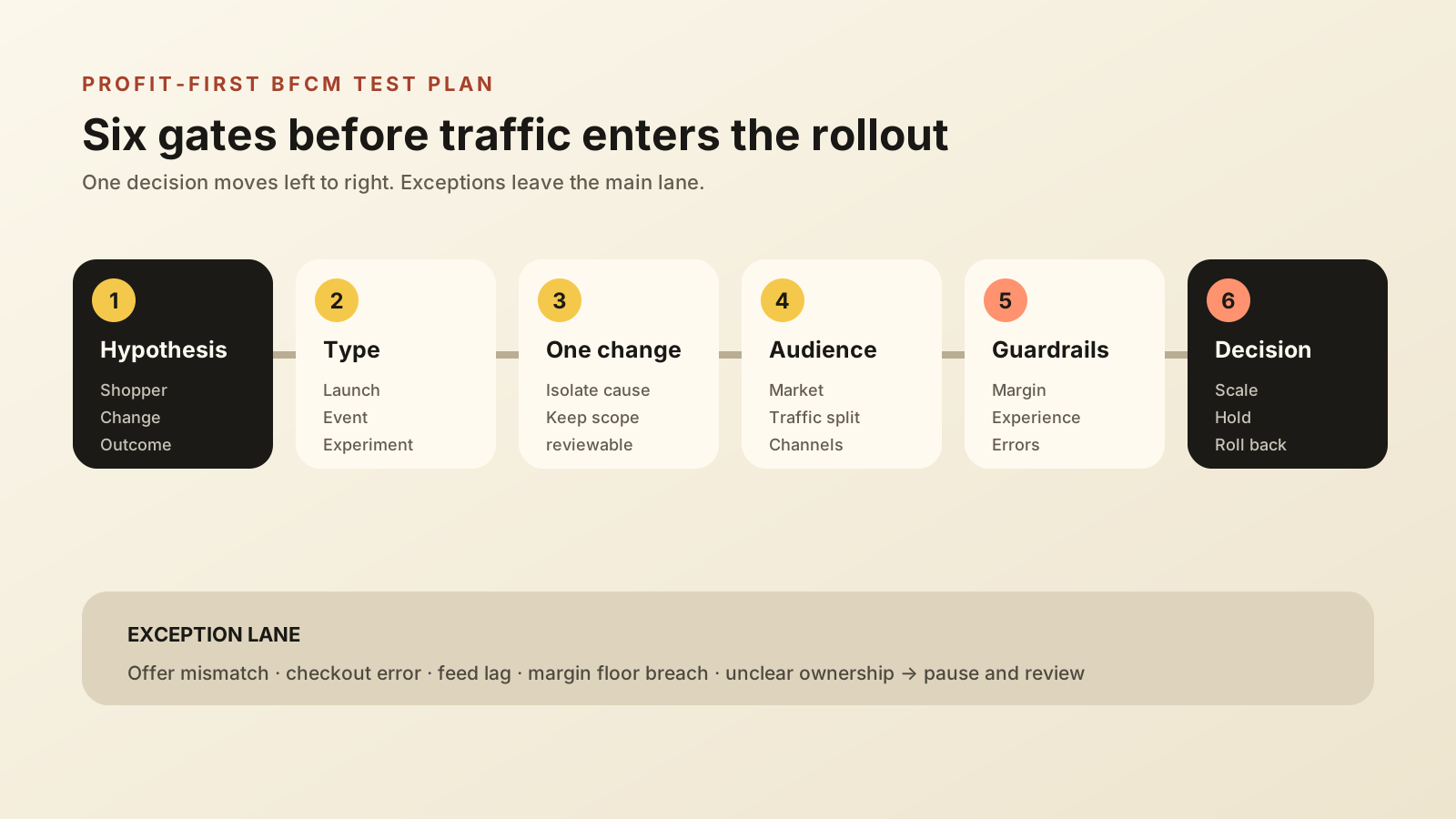
A useful BFCM experiment needs six gates: one hypothesis, the right rollout type, one isolated change set, a defined audience, profit guardrails, and a written scale-or-rollback rule. Shopify supplies the release mechanism; the merchant still owns the commercial logic.
1. Write one commercial hypothesis
Name the shopper, change, expected behavior, and business outcome. For example: “For first-time US visitors, replacing the generic cart message with a delivery-date promise will increase reached-checkout rate without lowering contribution margin per session.” This is testable. “Improve BFCM conversion” is not.
2. Choose Launch, Event, or Experiment
Match the type to the decision table above. A midnight sale with an automatic end belongs in Event. A verified accessibility fix belongs in Launch. A new checkout proposition whose effect is uncertain belongs in Experiment.
3. Isolate the smallest useful change
Do not test a new theme, new catalog, and new discount together if the goal is learning. Keep the treatment narrow enough that a result can change one decision. Save coordinated multi-resource Rollouts for a release whose components must arrive together.
4. Define audience and channel boundaries
Record the markets, eligible traffic percentage, control-treatment split, and excluded surfaces. Preview the store for every target market. If a catalog or discount changes for partial traffic, inspect the corresponding Google, social, Shop, marketplace, POS, and headless experience before launch.
5. Set margin and experience guardrails
Choose one primary behavior metric, then set floors for contribution margin, discount cost, refund or cancellation rate, support contacts, and checkout errors. Use the contribution-margin guide to translate a conversion lift into a profit decision.
6. Pre-write the scale, hold, and rollback rule
Name the owner and the evidence required to continue. Decide what pauses the rollout immediately, what extends the observation window, and what promotes the treatment. An Event can roll back automatically, but the team still needs to reconcile feeds, discounts, analytics, and customer-facing promises after it ends.
The best rollout rule is written before the dashboard moves. That protects the decision from peak-day excitement, a small early lead, or pressure to keep a campaign live because the creative work is already done.
What the native metrics can and cannot show
Shopify’s native metrics depend on the resource and rollout type.
Theme Experiments can report conversion, bounce, reached-checkout, and add-to-cart rates. Checkout Experiments focus on checkout conversion. The available metrics are not customizable, and discount-specific revenue or order attribution is not available.
That limitation matters. The Rollout analytics guide says a visitor can count as exposed to a discount even when eligibility differs, and a shared discount code can escape the intended Experiment group. Analytics cover the Online Store, cart, and checkout, not headless storefront or POS visitors.
Use a two-layer scorecard:
| Layer | Question | Suggested evidence |
|---|---|---|
| Shopify rollout result | Did shopper behavior change? | Conversion, reached checkout, add to cart, bounce, orders, or AOV when available |
| Business result | Did the change create better delivered economics? | Contribution margin, discount cost, cancellations, refunds, RTO, support load, and net revenue |
Do not compare raw conversion rates across markets with different traffic sources, payment habits, delivery promises, or product mixes. Keep the test population coherent, then use the real-time analytics guide to separate fast operational signals from slower profit evidence.
Frequently asked questions
What are Shopify Rollouts?
Shopify Rollouts are controlled store changes created as a Launch, Event, or Experiment. A Launch makes changes permanent, an Event ends and rolls back on schedule, and an Experiment compares a treatment with a control. Rollouts can coordinate themes, checkout and accounts, catalogs, and discounts.
Can Shopify Rollouts test discounts?
Yes. Shopify added discount changes to Rollouts in October 2026. A rollout can activate or deactivate existing discounts, and one rollout can include up to 250 discounts. Partial-traffic discount activation applies only to the Online Store, while a 100% effective rollout can reach other eligible channels.
Which Shopify plan supports Experiments?
Launch and Event rollouts are available on Basic or higher. Experiments require Grow or higher. Confirm the Rollouts area, plan, and staff permissions in Shopify Admin before committing a BFCM testing plan to the feature.
Do Shopify Rollouts measure profit?
No. Shopify reports selected behavior and sales metrics based on the rollout type and resource, but the metrics are not customizable. Discount-specific revenue attribution is also unavailable. Reconcile the result with contribution margin, refunds, cancellations, RTO, and support cost before declaring a winner.
A rule for calling the winner
Write the rule before launch. A treatment wins only when:
- the Shopify rollout result shows the behavior change the hypothesis predicted, in a coherent test population;
- contribution margin, discount cost, cancellations, refunds, RTO, and support load stay inside the guardrails you set;
- every affected channel, feed, and discount matches what shoppers were meant to see.
If behavior improves but delivered economics do not, hold or roll back.
The advantage of Rollouts is not the traffic split itself. It is the chance to define one decision, expose it deliberately, observe it honestly, and reverse it cleanly if needed. Judge the result on delivered profit, not a conversion-rate screenshot.
Pick the one test worth running before BFCM
MlabsGrowth can review the Shopify pages, offers and checkout steps you plan to change, then agree one hypothesis and the profit metric that decides the winner.
Plan a Shopify conversion test with us or browse all MlabsGrowth services.
Source notes
- Shopify Changelog, Plan launches, events, and tests with clearer and more granular controls in Rollouts, published 2026-09-22, retrieved 2026-10-19.
- Shopify developer changelog, Discounts can now be included in Rollouts, published 2026-10-01, retrieved 2026-10-19.
- Shopify developer changelog, Rollouts queries and webhooks in the Admin GraphQL API, published 2026-10-01, retrieved 2026-10-19.
- Shopify Help Center, Types of rollouts and changes, retrieved 2026-10-19.
- Shopify Help Center, Requirements and considerations for using rollouts, retrieved 2026-10-19.
- Shopify Help Center, Rollout analytics, retrieved 2026-10-19.
- Shopify, Test and launch store changes on Shopify, retrieved 2026-10-19.
