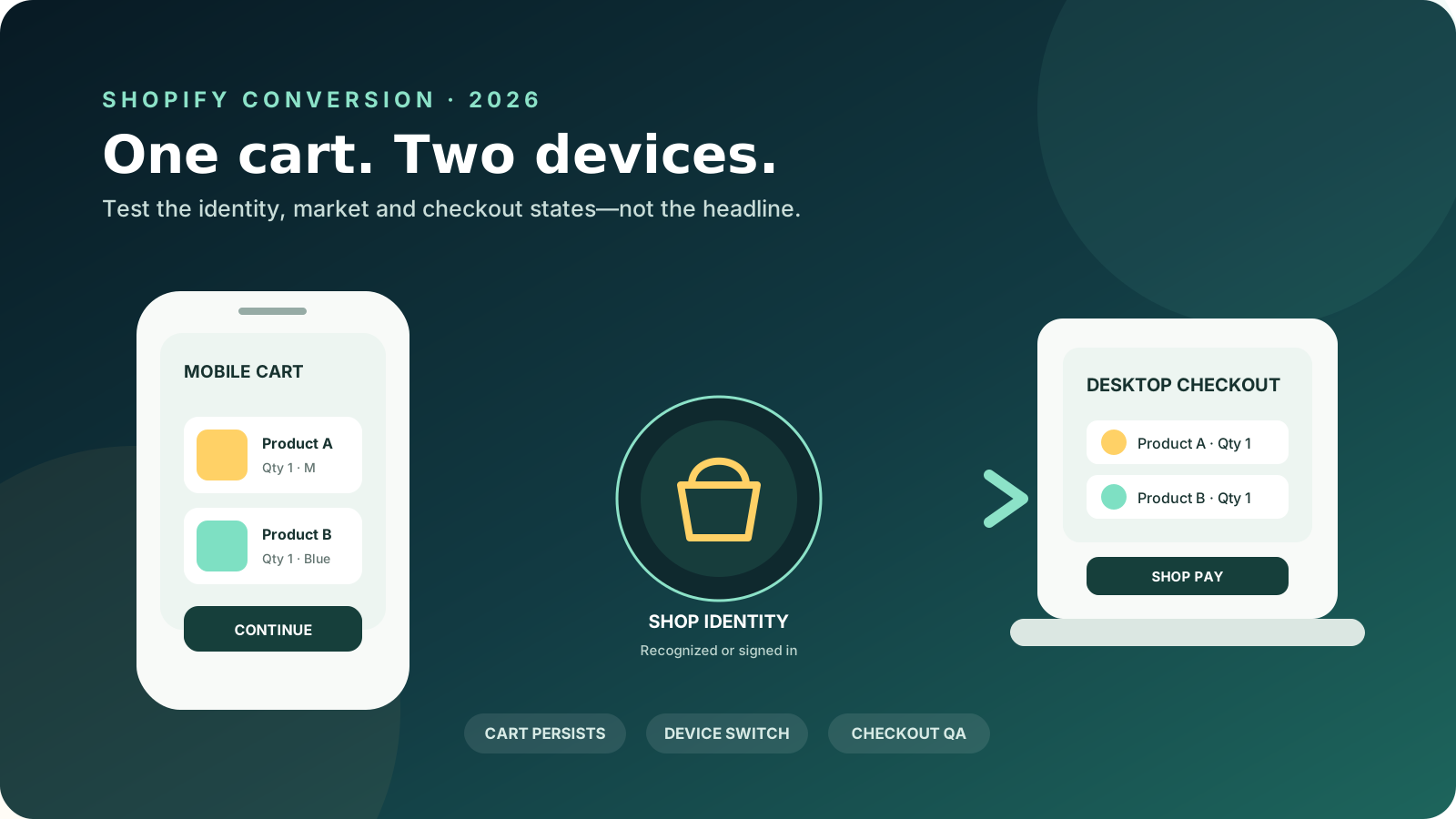
Shopify has removed one break in the buying journey: an eligible Shop user can now start a cart on one device and continue it on another.
The October 5, 2026 Shopify changelog says Shop can recognize a shopper while they browse, before purchase. That recognition can speed checkout, pre-fill the Buy with Shop Pay button, support one-tap sign-in, and keep a cart current across devices and the Shop app.
For a D2C operator, the useful question is not whether the feature sounds convenient. It is whether eligible customers receive that continuity without conflicting carts, unavailable products, regional mismatches, or misleading analytics.
Quick read
- Shopify announced faster checkout and cross-device cart sync through Shop on October 5, 2026.
- Sync requires a Shop account plus recognition or sign-in; it does not cover every visitor.
- Existing carts are not merged, and regional or channel availability can interrupt continuity.
- Test the journey by device and market before assigning conversion gains to the release.
Faster checkout, and a cart that follows the shopper
Shopify’s October 5 release connects more of the pre-checkout journey to a shopper’s Shop identity. Shopify says checkout loads faster for Shop users, the Shop Pay button can show their previously used card, and one-tap sign-in can shorten account access. The release is now supported across all browsers.
The larger operational change is two-way cart sync. A cart started on a participating online store can move into the Shop app or shop.com. A cart started in Shop can return to the merchant’s storefront. It can also follow the shopper from phone to computer on the online store.
This is different from sending another recovery message. Recovery waits for a shopper to leave and tries to bring them back. Cross-device sync preserves shopping state while an identified shopper moves between sessions, surfaces, or devices.
The distinction matters. The existing cart abandonment guide remains useful for shipping surprises, trust, payment friction, and recovery flows. This update targets a narrower problem: cart continuity when an identified shopper changes context.
Who actually receives the cross-device experience?
Cross-device cart sync applies to recognized Shop users, not every anonymous visitor. Shopify’s Shop app customer-experience documentation says the customer needs a Shop account and must be recognized by Shop or signed in on the store.
A cart can sync when the shopper signs in with Shop, uses a matching email with new customer accounts, or returns in a browser where Shop already recognizes them. Matching an email does not work with legacy customer accounts. A shopper without a Shop account does not receive cart sync.
Shopify describes eligible storefronts as “participating online stores” without publishing a country-by-country cart-sync matrix. Availability and behavior can therefore differ by store, shopper identity, sales channel, and region. US, UK, India, and global teams should verify the live journey for their own configuration instead of inferring availability from another Shop feature.
Three limits that can still break continuity
Shopify documents three limits.
First, carts do not merge. If the destination already contains a cart, Shopify says that cart is not replaced. Only one cart syncs at a time.
Second, product availability still follows the sales channel, so a Shop-exclusive item can appear after the cart reaches the online store but cannot necessarily be purchased there.
Third, cart sync can be limited by region. A shopper who creates a cart in one region and continues from another might not see the same cart.
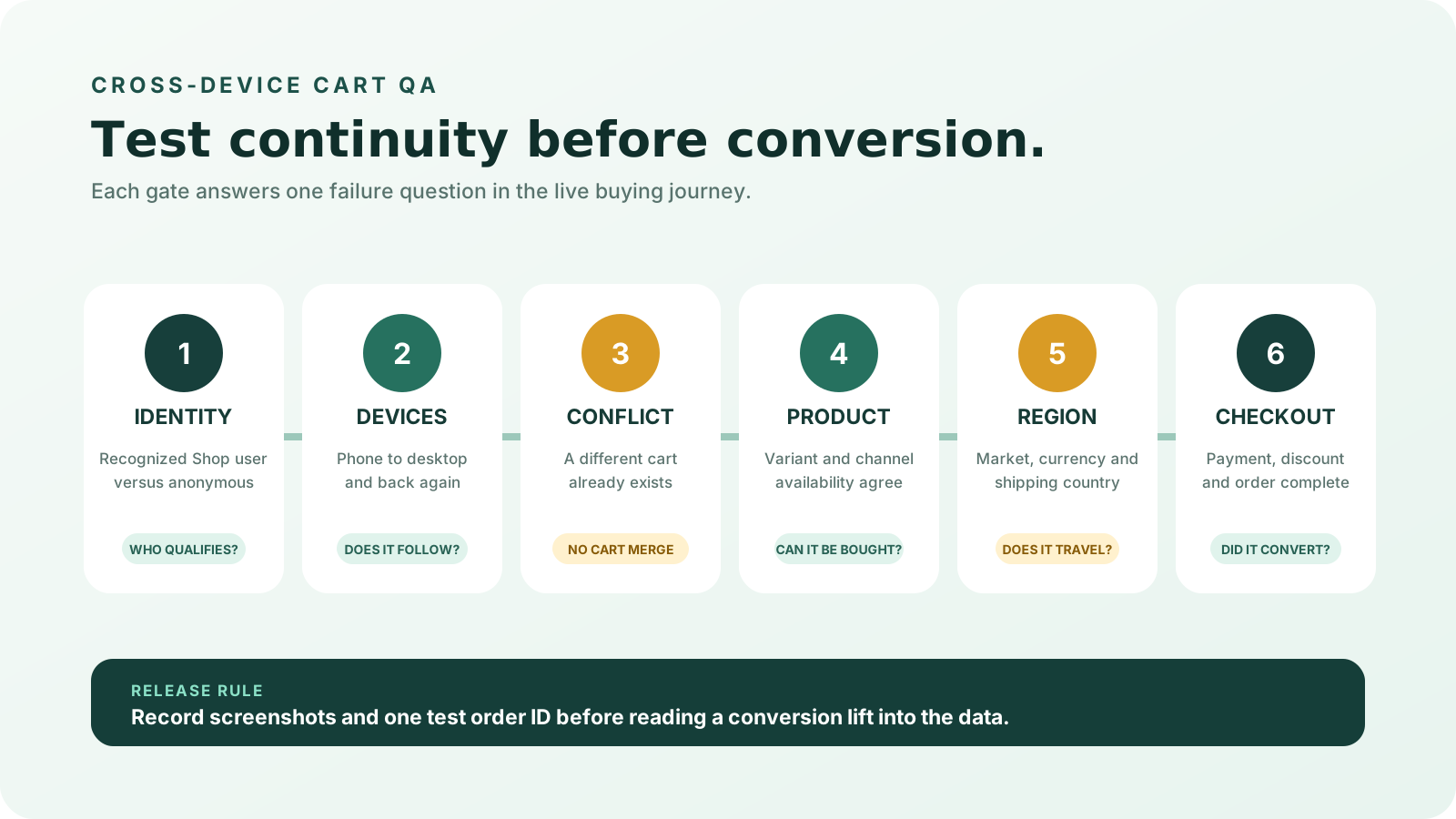
Turn those limits into a six-part test:
- Identity: repeat the journey as a recognized Shop user and as an anonymous visitor.
- Devices: add two variants on mobile, then continue on desktop; reverse the direction too.
- Conflict: repeat with a different cart already open on the destination device.
- Availability: include a product available in only one sales channel.
- Region: test each priority shipping country, currency, and market configuration.
- Checkout: complete a low-risk test order using the payment choices customers actually use.
Use the Shopify conversion audit checklist to check the surrounding product page, discounts, delivery promise, cart, and checkout states.
How should D2C teams measure the release?
Measure continuity, not the announcement. Shopify has not published a merchant-specific conversion guarantee for this October update, so there is no credible universal lift to paste into a forecast.
Start with four rates:
- Product view to add to cart
- Add to cart to checkout reached
- Checkout reached to purchase
- Purchase rate by device, browser, and market
Annotate the release and test dates in your reporting. Compare stable periods with similar traffic, offer, inventory, and shipping conditions. A device-level change needs careful reading: a shopper may add to cart on mobile and buy on desktop. The store-level purchase can be a success even when the original device’s funnel appears weaker.
Shopify also changed session measurement from September 21 to 23, 2026. Its session-measurement guide says sessions now follow continued activity, include some visits without a pageview, and filter identified bots by default. Use data after that rollout as the new baseline instead of treating a September-to-October conversion shift as proof of cart-sync impact.
The Shopify real-time analytics guide can help define the operating view. Still judge the outcome by completed orders, customer experience, and contribution—not faster checkout in isolation.
The operational opportunity is continuity, not recovery. A preserved cart reduces the need to reconstruct intent after a shopper changes devices. That makes the feature most relevant to considered purchases, repeat visits, and campaigns where research begins on mobile but payment may finish elsewhere.
A release check worth running this week
The October update is worth testing because it removes rework for an identifiable group of shoppers. It does not replace good merchandising, delivery clarity, local payments, or checkout QA.
Run one controlled check:
- Confirm Shop, Shop Pay, and customer-account settings.
- Test recognized and unrecognized shoppers separately.
- Cover mobile-to-desktop and desktop-to-mobile journeys.
- Include cart conflicts, market changes, discounts, and unavailable products.
- Record the result with screenshots and a test order ID.
- Watch conversion by device and market without claiming causation too early.
Do not assume every browser, account, or market will behave the same because the changelog says support is broad. Shopify’s own shopping cart syncing guide makes the eligibility and edge cases explicit.
Test the complete Shopify buying journey
MlabsGrowth reviews product pages, cart states, market rules, payments, and checkout as one conversion system.
Frequently asked questions
Does Shopify now sync carts across devices automatically?
Cart sync is on by default for eligible Shop users, but it is not universal. The shopper needs a Shop account and must be recognized by Shop or signed in on the store. The merchant also needs an eligible, participating Shop setup.
Does Shopify merge two carts when a customer changes devices?
No. Shopify says only one cart syncs at a time. If the shopper already has a cart where they are browsing, that cart is not replaced, and the two carts are not combined. Test this conflict deliberately before a major campaign.
Does Shopify cart sync work in every region?
Not necessarily. Shopify says cart sync can be limited by region, especially when a shopper changes regions after creating the cart. Product availability can also differ by sales channel. Test each priority market instead of assuming one successful journey applies globally.
How should a D2C brand measure this Shopify update?
Track cart-to-checkout and checkout-to-purchase rates by device, browser, and market. Use only post-September 23 session data as the baseline, compare stable periods, and test real Shop-account journeys before attributing a conversion change to cart sync.
Source notes
- Shopify Changelog, Faster checkout, carts synced across devices via Shop, published 2026-10-05, retrieved 2026-10-14.
- Shopify Help Center, Shop app customer experience, publication date not shown, retrieved 2026-10-14.
- Shop Help Center, Shopping cart syncing, publication date not shown, retrieved 2026-10-14.
- Shopify Help Center, Changes to sessions and conversion rate in Shopify Analytics, rollout dated 2026-09-21 through 2026-09-23, retrieved 2026-10-14.
For wider conversion, order operations, and AI workflow support, see all MlabsGrowth services.
