Shopify Sidekick automates a growing list of jobs inside the Shopify admin: ShopifyQL sales reports, product and marketing content, order edits, Shopify Flow automations, theme settings and admin-only apps. It does not run work that lives outside Shopify, and it does not replace the judgment a brand applies before anything goes live.
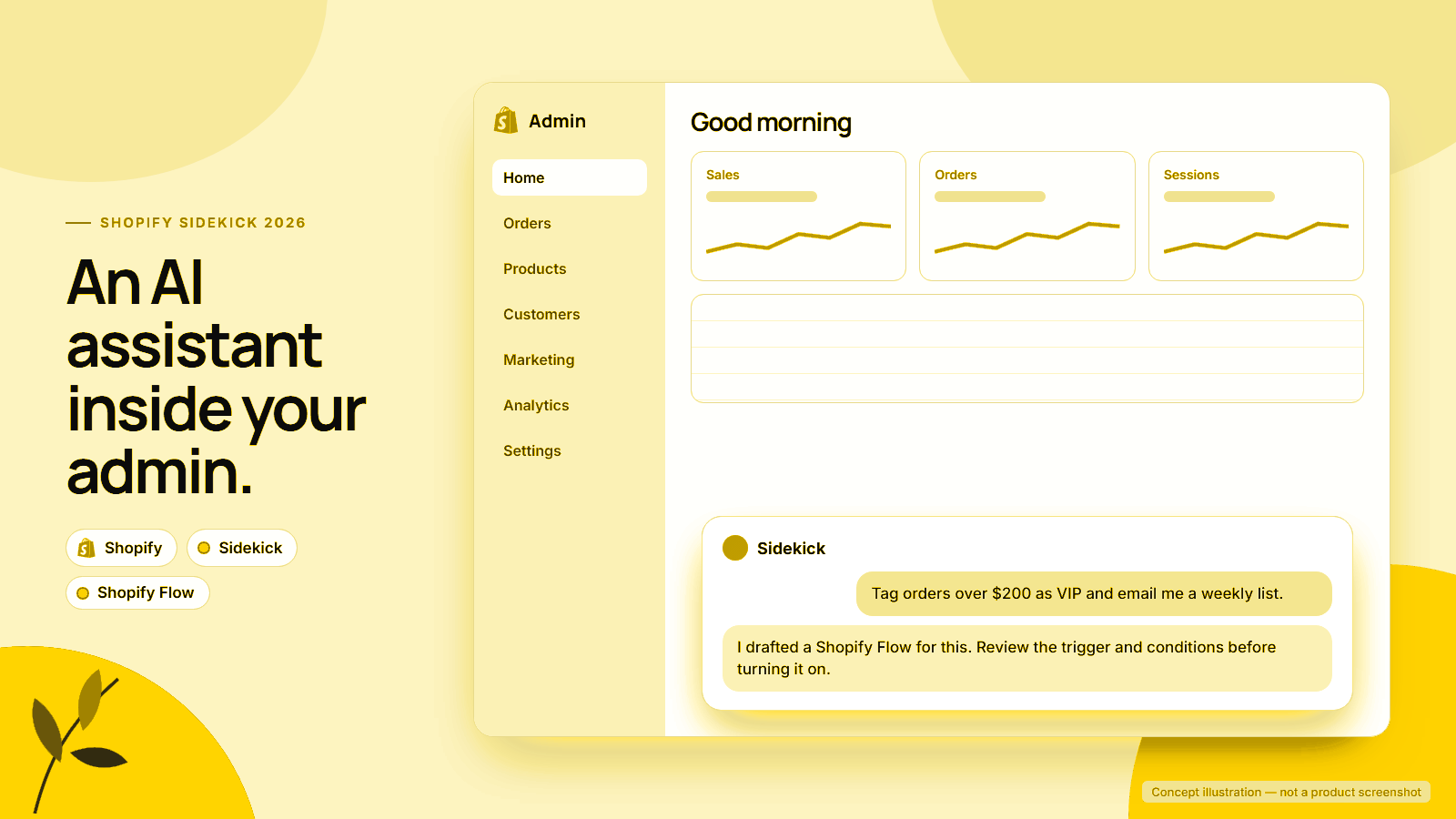
The timing matters. On 15 September 2026, Shopify began rolling out a redesigned admin in which Sidekick moved from a side panel to a floating chat at the bottom of every page. Now it is on every screen, so it is worth knowing where it helps and where it stops. Every change it makes still needs your approval, and plans, permissions and early-access status limit some features.
We list only features we verified in Shopify’s documentation, with dates, plus a decision table and 10 prompts.
Platforms in this guide
 Shopify
Sidekick
Shopify Flow
Shopify
Sidekick
Shopify Flow
 Claude
 ChatGPT
In this guide
- What Sidekick is in 2026
- The September 2026 admin redesign
- What Sidekick can do now
- Plans, languages and access
- Where Sidekick stops
- Sidekick, Flow or a custom workflow
- Using Sidekick safely
- 10 prompts to try
- Frequently asked questions
What is Shopify Sidekick in 2026?
Sidekick is Shopify’s AI assistant built into the admin. The Shopify Help Center’s Sidekick overview describes it as a way to get guidance, generate content, build apps and complete tasks in plain language, on desktop, mobile and even Apple Watch, by text, voice or screen sharing.
Two shifts define the 2026 version. First, it acts rather than only answers, filling forms, editing orders and creating workflows for your review.
Second, it reaches into other apps. Shopify’s Spring ’26 Edition announcement, published on 17 June 2026, says Sidekick App Extensions were live for 15+ partners, including Klaviyo, Loop and Smile.
Shopify’s memory and personalization page adds that Sidekick keeps conversation history for about 3 months and recent admin activity for about 12 hours, and will forget details on request.
The September 2026 admin redesign
Shopify’s changelog post A new look for the Shopify admin, dated 15 September 2026, says the redesign rolls out gradually with no setup. It brings new colour, type and icons, moves search and notifications into a collapsible side navigation, and makes Sidekick a floating chat on every page.
The practical change is proximity: the input now sits at the bottom of every page, so questions happen in the context of what you are viewing. The getting started guide confirms that Sidekick uses the page you are on as context for your question. Because the rollout is gradual, as of 24 September 2026 some team members may see the new frame before others.
What can Shopify Sidekick do right now?
Shopify’s help and guidance page, changelog and Editions pages document 8 working capability areas, plus Pulse suggestions on the Home page. The table lists each with the first date we could confirm and the main condition attached.
| Capability | What it does | First confirmed | Key condition |
|---|---|---|---|
| Reports and analytics | Writes ShopifyQL queries, charts and exports | Winter ’26 Edition, 10 Dec 2025 | Export links expire after 10 minutes |
| Content and forms | Drafts descriptions, blog posts and images; fills admin forms | Help Center, current | Generated fields are highlighted in purple for review |
| Orders and draft orders | Adds items, changes quantities, applies discounts, sets shipping | Help Center, current | Changes apply only after you click Update order or Save |
| Shopify Flow automations | Builds a workflow with trigger, conditions and actions | Changelog, 11 Dec 2025 | Desktop only; you activate it |
| Theme edits | Changes colours, typography, spacing and block settings | Winter ’26 Edition, 10 Dec 2025 | Must be in the theme editor; you save manually |
| App generation | Builds admin-only apps with code editing and version history | Winter ’26 (apps), Spring ’26 (code editing) | Grow, Advanced and Plus plans only |
| Third-party apps | Answers questions and completes tasks in supported apps | Spring ’26 Edition, 17 Jun 2026 | You approve each app per conversation |
| Shopify Balance | Checks funds and initiates transfers | Changelog, 15 Sep 2025 | US stores using Balance only |
Shopify Flow automations
Shopify’s changelog post Create Flow automations with Sidekick, dated 11 December 2025, says it works well for tagging, email and Slack notifications, inventory alerts and scheduled automations, while advanced Liquid or custom code may need manual editing. The Spring ’26 Editions page added the ability to generate test events for Flow.
Theme and app code
Theme edits change settings on sections and blocks already on the page, such as colours, typography and spacing; they are not free-form code rewrites. For code, the app generation page says generated apps use only the Admin API, cannot touch themes, checkout or customer accounts, and keep a version history you can restore.
Sidekick Pulse suggestions
Sidekick Pulse researches store data and shows up to 5 suggested actions as cards on the admin Home page. As of 24 September 2026, it is in early access, needs recent sales activity and Shopify Network Intelligence, and is limited to the owner or staff with admin access.
Plans, languages and staff access
Shopify’s Sidekick product page says Sidekick is included with every Shopify plan at no extra cost, but features and usage limits vary by plan. App generation is restricted to Grow, Advanced and Plus, while Flow generation is listed for Basic, Shopify, Advanced and Plus.
On languages, Shopify’s page says only that Sidekick adapts to your store’s language settings and helps in multiple languages. Retail Technology Innovation Hub reported in April 2025 that Sidekick expanded from English to 20 languages, including 12 European languages such as French, German, Dutch and Spanish. Test your team’s language before relying on it.
Access follows admin permissions: Shopify says each staff member can use Sidekick only within what their role allows. Some features add requirements:
- App generation needs the App development > Develop permission.
- Pulse needs owner or admin access.
- Sidekick does not work in the admin on a mobile browser; use the Shopify app.
- Balance transfers are for US stores using Shopify Balance, per Sidekick can now check balances and move money.
Where does Shopify Sidekick stop?
Sidekick’s boundary is the Shopify admin plus the supported apps you connect. None of the Help Center pages we reviewed on 24 September 2026 describe Sidekick calling a courier API, messaging customers on WhatsApp, placing calls, managing ad accounts or posting to accounting software. That leaves five kinds of work outside its reach:
- Cross-system operations. A cash-on-delivery order needing a confirmation call, courier booking and RTO follow-up touches several systems. See our guide to AI calling for COD confirmation.
- Ad account work. Budgets, creative tests and audiences live in Meta Ads, Google Ads or ChatGPT Ads Manager.
- Finance beyond Balance. Reconciling payouts with accounting software needs data Sidekick does not hold.
- Brand-context-heavy content. None of the pages we reviewed document a brand voice setting, so tone, claims rules and banned phrases depend on your prompt and your review.
- Custom data and approval chains. If a decision needs a supplier sheet or sign-off from two people, Sidekick can prepare the change but not run the chain.
Sidekick, Shopify Flow or a custom AI workflow
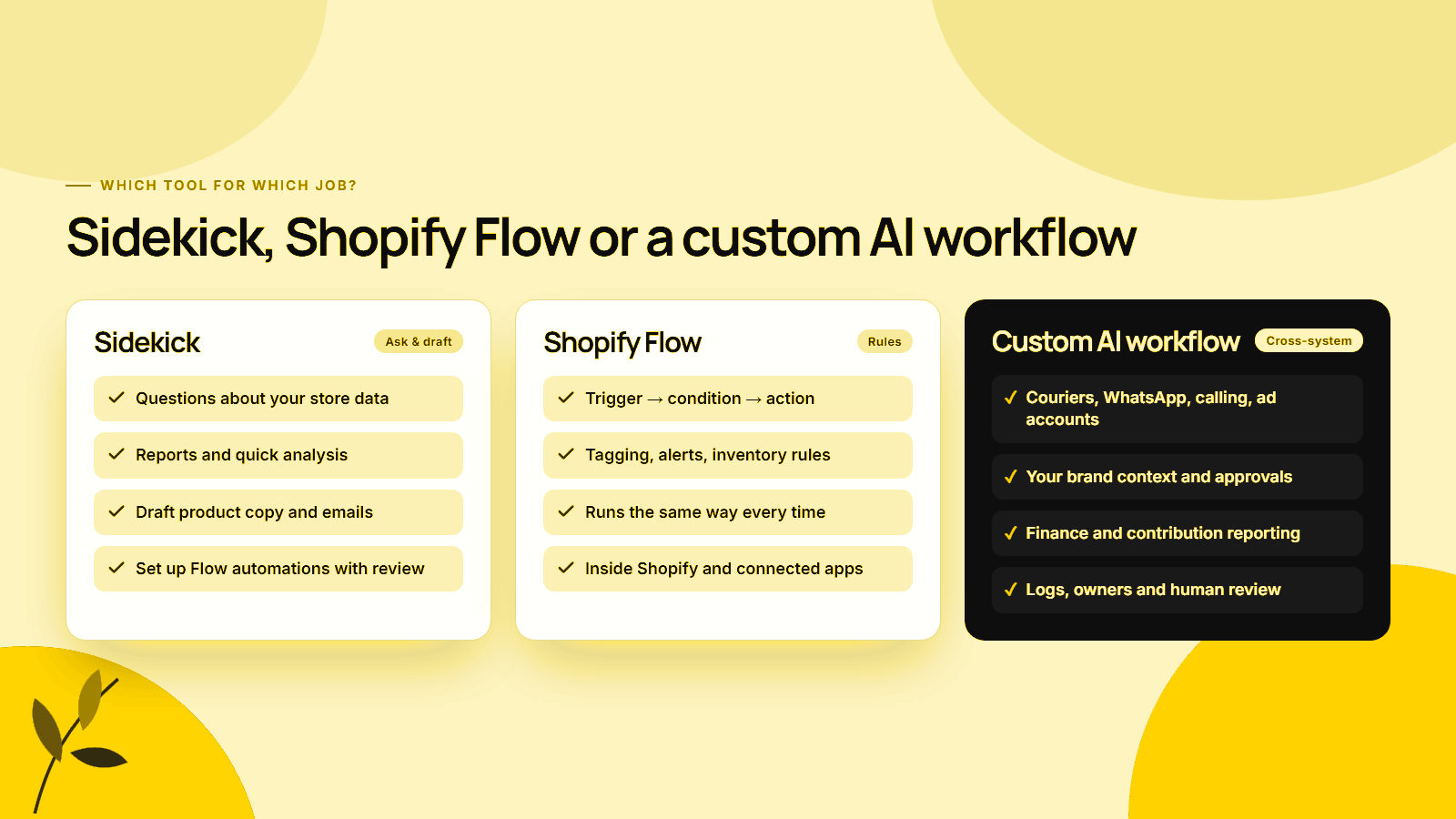
Sidekick suits one-off questions and edits, Shopify Flow suits repeatable rules triggered by Shopify events, and a custom AI workflow suits multi-system jobs needing brand context and approvals. Since December 2025 Sidekick can build Flow workflows, so the two work together.
| Job | Use Sidekick | Use Shopify Flow | Use a custom AI workflow |
|---|---|---|---|
| “Which SKUs dropped in sales this month?” | Yes, ShopifyQL report | No | Only if you need ad or return data joined in |
| Tag high-value customers after every order | Build it | Yes, runs the rule | No |
| Low-stock alert to Slack | Build it | Yes | Only if a supplier reorder follows |
| Rewrite 40 product descriptions in brand voice | First draft | No | Yes, with a brand context file and review step |
| Confirm COD orders by call or WhatsApp | No | Trigger only | Yes |
| Weekly marketing report across Meta, Google and Shopify | Shopify part only | No | Yes |
| Change button colours and spacing | Yes, in the theme editor | No | No |
| Move funds between Balance accounts (US) | Yes, with preview | No | No |
General assistants such as Claude or ChatGPT fit the third column once connected to your data and given written brand rules. Our AI brand context workflow guide explains how to package that context, and Skill Manager keeps those instructions reusable. For more examples, see AI marketing workflows for ecommerce.
Using Sidekick safely
Shopify’s getting started guide states that Sidekick cannot change your store without approval and only presents options for review. That approval step is the control, so read what you approve.
- Read the diff. Purple-highlighted fields show what Sidekick wrote. Check prices, variants and claims.
- Test before activating. Run Flow test events, and test generated apps thoroughly before installing, as Shopify advises.
- Preview money movement. Balance transfers include a Preview step.
- Keep staff roles tight. Sidekick inherits each person’s permissions, and third-party app access lasts for one conversation only.
- Check theme changes on mobile and desktop before saving manually.
If a theme or product change will affect conversion, run it past the Shopify conversion audit checklist before you publish.
Ten prompts worth trying first
The best first prompts use features Shopify documents today: ShopifyQL reports, draft orders, Flow generation, theme settings and form filling. Each of these 10 prompts names a concrete outcome and a limit, so Sidekick has less to guess. Adjust the numbers for your store.
- “Show net sales by product type for the last 90 days compared with the previous 90 days, as a bar chart, and export it to CSV.”
- “Which 10 products had the highest refund rate last quarter? Include units sold.”
- “Build a Flow workflow that tags a customer as VIP when their total spend passes ₹25,000 and sends a Slack message to #sales.”
- “Create a Flow workflow that emails ops@ourstore.com when any variant in the Bestsellers collection drops below 15 units.”
- “Create a 10% discount code for customers tagged VIP, one use per customer, ending on 31 October 2026. Show me the settings before saving.”
- “Draft a description for this kurta set from the fabric and fit details on the page. Under 120 words; do not claim it is handmade.”
- “Create a customer segment of people who ordered twice or more in 2025 but not since June 2026.”
- “On this draft order, add 2 units of the navy variant, apply a 5% line discount and add a custom shipping rate of ₹150.”
- “Increase spacing between product grid items and round the add-to-cart button corners on this template.”
- “Find apps that can send order updates on WhatsApp, compare the top 3 and show me the key differences.”
Prompt 10 shows the boundary: Sidekick can compare apps, but the messaging runs outside it. For AI agents that shop on behalf of customers, see our agentic commerce guide for Shopify.
Run a few of these and the pattern is clear. Sidekick in 2026 is a capable operator inside the admin, writing reports, drafting content, editing orders, building Flow workflows and adjusting themes, and every change still waits for a person to approve it. Use it for admin work you can check, turn the rules that repeat into Shopify Flow, and keep custom workflows for jobs that cross systems or depend on brand context.
Automate the work Sidekick cannot reach
MlabsGrowth builds AI workflows that connect Shopify with courier, WhatsApp, calling, ad and reporting tools, with your brand rules and approval steps built in.
Plan AI automation beyond Sidekick or book a 30-minute call.
Frequently asked questions
Is Shopify Sidekick free?
Shopify says Sidekick is included with your Shopify plan at no additional cost, but features and usage limits vary by plan. For example, generating custom apps with Sidekick is limited to the Grow, Advanced and Shopify Plus plans, with hourly and weekly limits, and image generation limits also depend on the plan.
Can Shopify Sidekick make changes to my store without approval?
No. Shopify’s Help Center states that Sidekick cannot change your store without your approval and presents options for you to review. Order edits apply only after you click Update order, draft orders save only after you click Save, and theme changes must be saved manually in the theme editor.
Can Sidekick build Shopify Flow automations?
Yes. Since December 2025, Sidekick can generate a Shopify Flow workflow with a trigger, conditions and actions from a plain-language description. Flow must be open on desktop, and you test and activate the workflow yourself. Shopify notes that workflows with advanced Liquid or custom code may need manual editing.
What is Sidekick Pulse?
Sidekick Pulse is a feature that researches your store’s data and shows up to 5 suggested actions as cards on the Shopify admin Home page. As of September 2026 it is in early access for certain merchants with recent sales, and only the store owner or staff with admin access can use it.
When should a Shopify brand use a custom AI workflow instead of Sidekick?
Use a custom workflow when the job crosses systems Sidekick does not reach, such as courier portals, WhatsApp, calling tools, ad accounts or accounting software, or when output depends on detailed brand rules and a human approval chain. Keep Sidekick for questions and edits that start and finish inside the Shopify admin.
Source notes
- Shopify Help Center, Sidekick, retrieved 2026-09-24.
- Shopify Help Center, Getting started with Sidekick, retrieved 2026-09-24.
- Shopify Help Center, Getting help and guidance from Sidekick, retrieved 2026-09-24.
- Shopify Help Center, Generating apps with Sidekick, retrieved 2026-09-24.
- Shopify Help Center, Sidekick Pulse, retrieved 2026-09-24.
- Shopify Help Center, Memory and personalization, retrieved 2026-09-24.
- Shopify Changelog, A new look for the Shopify admin, published 2026-09-15, retrieved 2026-09-24.
- Shopify Changelog, Create Flow automations with Sidekick, published 2025-12-11, retrieved 2026-09-24.
- Shopify Changelog, Sidekick can now check balances and move money, published 2025-09-15, retrieved 2026-09-24.
- Shopify News, Renaissance for the modern era: Winter ’26 Edition, published 2025-12-10, retrieved 2026-09-24.
- Shopify News, Spring ’26 Edition, published 2026-06-17, retrieved 2026-09-24.
- Shopify Editions, Spring ’26, retrieved 2026-09-24.
- Shopify, Sidekick, retrieved 2026-09-24.
- Retail Technology Innovation Hub, Shopify’s AI-powered commerce assistant Sidekick expands across Europe, now supporting 20 languages, published 2025-04-01, retrieved 2026-09-24.
