AI has not replaced the marketing team at small ecommerce brands. It has made a different problem obvious: the same five people still write every product description, brief every ad, build every report and answer every review, one blank chat window at a time.
Adoption is still low where that pressure is highest. Eurostat found that 17% of small EU enterprises used AI in 2025, against 55.03% of large ones. The US Census Bureau reported that fewer than 20% of US firms with four or fewer employees used AI in early 2026. The gap is not ambition. It is the lack of a repeatable workflow.
What follows are seven AI marketing workflows a small ecommerce team can automate in 2026, the tools each one needs, and the point where a person must approve the output before it goes live.
Key takeaways
- Start with repeated tasks that have clear inputs and a named reviewer.
- Build one shared brand context first, so every workflow starts from approved facts.
- Keep a human approval step on anything a customer, an ad platform or Google will see.
- Measure each workflow by hours saved and by the business number it moves.
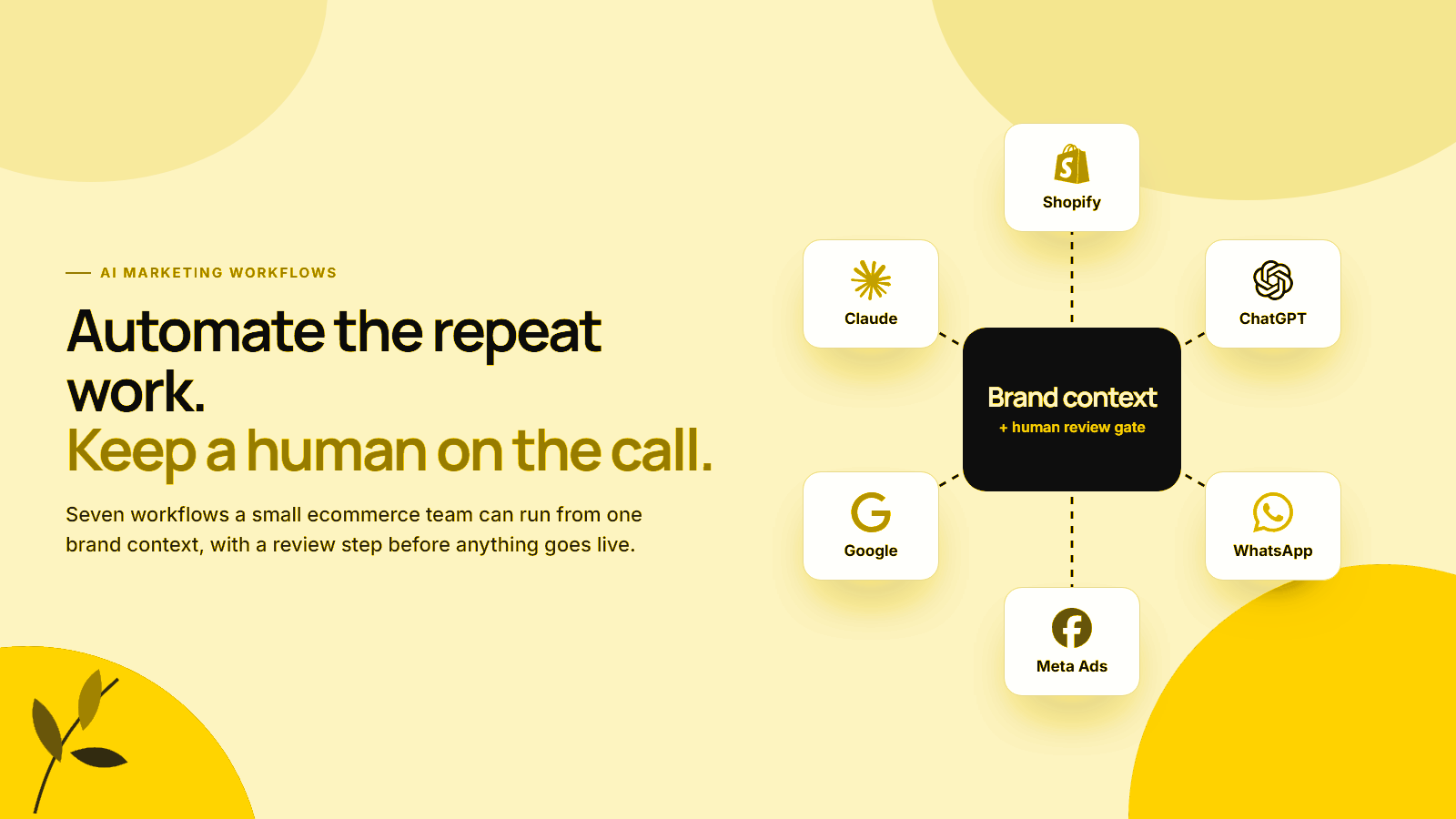
Platforms in this guide
 Shopify
 Claude
 ChatGPT
 Meta Ads
 WhatsApp
 Google
Why small teams stall with AI
Small teams use AI as a chat tool rather than a workflow. Each task starts with a blank prompt, the brand is explained again, and the output is edited by whoever has time.
Eurostat’s 2025 data also puts medium-sized enterprises at 30.36%, between small and large ones. The same enterprise AI statistics show where companies that do use AI apply it: 34.70% of them use it for marketing or sales, the most common purpose on the list. In the US, the Census Bureau’s May 2026 analysis found overall business AI use between 17% and 20%, with fewer than 20% of firms with four or fewer employees using it, against 37% of firms with at least 250.
Large companies close that gap with process: shared context, defined inputs, review steps and someone who owns the result. A small team can copy the process without copying the headcount. That is what a workflow is: the same task, done the same way, with AI doing the first draft and a person doing the last check.
Start with one approved brand context
Set up one approved brand context before any workflow. It holds the facts every task needs: products and prices, customer profiles, brand voice, claims you can and cannot make, past campaign results and policies. Without it, every AI output needs heavy editing, and the time saved disappears.
Most assistants now support this directly. Claude’s Projects keep uploaded files in a project knowledge base with project instructions, and Anthropic’s Skills are folders of instructions, scripts and resources that Claude loads when a task needs them, such as following brand guidelines. ChatGPT offers a similar Projects feature.
A useful brand context usually contains:
- Product facts: materials, sizes, ingredients, care, prices and what each product is not.
- Customer language: real review quotes, support questions and objections.
- Voice rules: words you use, words you never use, and three example pieces you are proud of.
- Claims policy: what you can prove, what needs a source, and what is banned.
- Numbers: margins, average order value and past campaign results.
Our guide on building an AI brand context workflow walks through the structure step by step.
Which 7 marketing workflows should you automate?
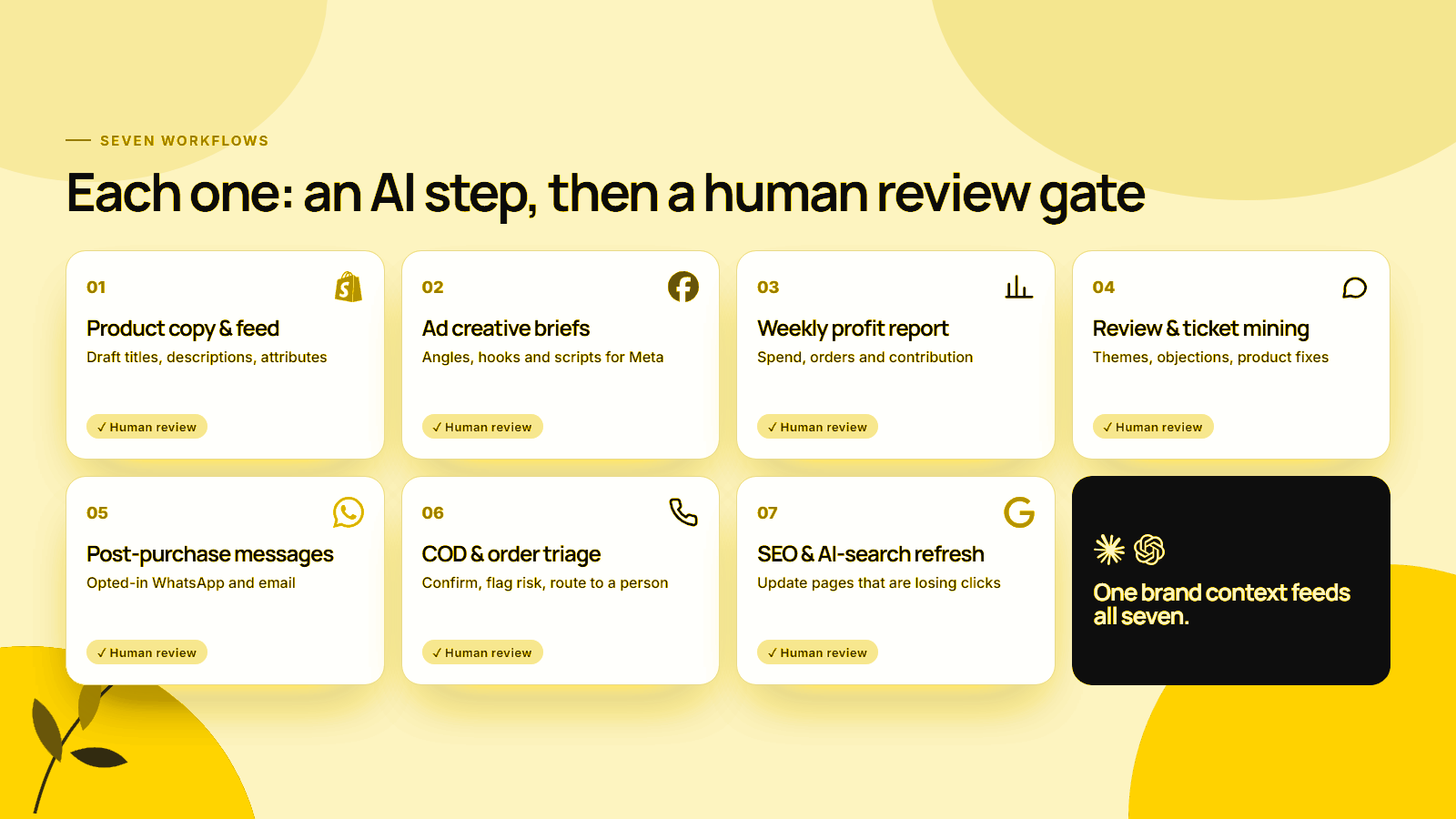
Choose workflows that repeat every week, have clear inputs and produce something a person can check in minutes. The seven below cover product content, advertising, reporting, customer insight, retention, operations and search. Each pairs an AI step with a named human review gate.
1. Product copy and feed attributes
AI drafts product titles, descriptions and feed attributes from a spec sheet and the brand context. A person checks every claim, size and material before publishing. Shopify’s Magic product descriptions page is explicit: you are responsible for the accuracy of everything you publish, even when text is generated automatically.
Google’s guidance on generative AI content asks merchants to label AI-generated title and description attributes separately in product data. Clean attributes matter beyond Google too; our Shopify SEO for AI search guide explains how ChatGPT and Gemini read them.
Review gate: a product owner approves each page and feed change.
2. Ad creative briefs for Meta
AI turns customer language, reviews and product facts into briefs: angle, hook, format and script. Meta’s creative diversification guidance treats a wide range of themes, messages and visuals as the best lever for reaching relevant audiences under its Andromeda retrieval system, and briefs are where that range starts.
Meta’s Advantage+ creative tools can then generate text variations, backgrounds and image expansions inside Ads Manager. Our Meta Andromeda guide covers how many distinct concepts to test.
Review gate: the marketer approves concepts and checks every claim against the claims policy.
3. Weekly profit report
AI pulls spend, orders, refunds and costs into a short weekly summary: what changed, why it likely changed, and one decision to make. It should report contribution, not only revenue or ROAS; our POAS vs ROAS guide explains why.
Review gate: the founder or finance owner checks the numbers against Shopify and ad accounts before acting. Test assumptions in the unit economics calculator.
4. Review and support-ticket mining
AI groups reviews and support tickets into themes: sizing complaints, delivery delays, objections before purchase, words customers use. The output feeds product fixes, FAQ updates and ad angles. A National Bureau of Economic Research study of customer support agents found AI assistance raised issues resolved per hour by 14% on average and by 34% for novice workers.
Review gate: a person reads a sample of raw tickets behind each theme before it changes a page or an ad.
5. Post-purchase messages
AI drafts order updates, care instructions, review requests and replenishment reminders for email and WhatsApp. Shopify Messaging includes 10,000 free emails each month. On WhatsApp, Meta’s template guidelines separate utility messages triggered by a customer action from marketing messages, and utility templates cannot contain promotions.
Review gate: a person approves each template once, including its category and opt-in wording.
6. COD and order triage
AI scores new orders for risk, drafts confirmation messages, and routes unclear cases to a person. In cash-on-delivery markets, this is often the workflow with the fastest payback. Our guide to AI calling for COD confirmation covers the full setup.
Review gate: a team member handles every unreachable or disputed order.
7. SEO and AI-search content refresh
AI finds pages losing clicks, compares them with current search results and drafts updates: new facts, clearer answers, missing questions. Google’s spam policies name using generative AI to create many pages without adding value as scaled content abuse, so refresh fewer pages more carefully.
Review gate: an editor verifies every new fact and source. See our Shopify SEO for AI search guide and how to track AI traffic in GA4 to measure the result.
Where should a human review AI output?
Put a person between the AI and anything a customer, an ad platform or a search engine will see. AI output is uneven: in the BCG and Harvard study of 758 consultants, the GPT-4 group did 40% better on creative product tasks but 23% worse on a business problem outside the model’s strengths. Review is how you keep the first result and catch the second.
BCG’s write-up of the study also found that the diversity of ideas across the AI-assisted group fell by 41%. For marketing, that is a warning: if everyone uses the same prompt, the ads start to look alike, which works against the creative range Meta rewards.
Some reviews are also legal requirements:
- Reviews and testimonials. The FTC’s final rule on fake reviews bans reviews that misrepresent that they are by someone who does not exist, including AI-generated fake reviews. It took effect on 21 October 2024.
- EU disclosure. Article 50 of the EU AI Act applies from 2 August 2026 and requires disclosure of deepfakes and of certain AI-generated text published to inform the public, unless it has had human review or editorial control.
- Shopify automations. Shopify says workflows generated by Sidekick in Flow are inactive by default and must be turned on manually, and that Sidekick might omit business-specific logic in complex workflows. That is a review gate built into the product.
Review the inputs, not only the outputs. Most bad AI marketing starts with a wrong fact in the brand context: an old price, a retired product, an unproven claim. Ten minutes a month checking the context saves hours of fixing drafts.
Which tools do you need?
Most small teams can start with tools they already pay for. Shopify Flow is free on the Basic, Grow, Advanced and Plus plans, Shopify Messaging includes free monthly emails, and one AI assistant with a project workspace handles drafting. Paid automation platforms are worth adding only after a workflow proves itself.
| Workflow | AI step | Where it runs | Review owner |
|---|---|---|---|
| Product copy and feed | Draft titles, descriptions, attributes | Claude or ChatGPT project, Shopify Magic | Product owner |
| Ad creative briefs | Angles, hooks, scripts | Claude or ChatGPT project, Meta Advantage+ creative | Marketer |
| Weekly profit report | Summarise spend, orders, contribution | Spreadsheet plus assistant, or custom connector | Founder or finance |
| Review and ticket mining | Theme and quote extraction | Assistant with exported reviews and tickets | Support lead |
| Post-purchase messages | Draft templates | Shopify Messaging, WhatsApp Business Platform | Retention owner |
| COD and order triage | Risk scoring, confirmations | Shopify Flow plus calling or WhatsApp tool | Operations |
| SEO and AI-search refresh | Gap analysis, draft updates | Assistant plus Search Console export | Editor |
Shopify’s Flow documentation notes that the Send HTTP Request action, which connects Flow to outside tools, needs the Grow, Advanced or Plus plan. Claude supports custom connectors via remote MCP on its Free, Pro, Max, Team and Enterprise plans, with free users limited to one connector. For what Sidekick can handle natively, read our Shopify Sidekick 2026 guide.
Measuring whether a workflow pays off
Measure two things for each workflow: hours saved per week and one business number it should move. Hours saved alone can hide a worse outcome, and a business number alone can hide a workflow that costs more time than it saves. Write both down before you build, then check them after four weeks.
| Workflow | Hours to track | Business number to track |
|---|---|---|
| Product copy and feed | Time per product page | Conversion rate on updated pages |
| Ad creative briefs | Time per brief | Number of distinct concepts tested, cost per purchase |
| Weekly profit report | Time to build report | Decisions made from it, contribution margin |
| Review and ticket mining | Time to read feedback | Repeat complaint rate |
| Post-purchase messages | Time per template | Repeat purchase rate, review volume |
| COD and order triage | Calling hours | RTO rate, delivered-order contribution |
| SEO and AI-search refresh | Time per page refresh | Clicks and AI referrals to refreshed pages |
Retire any workflow that saves time but moves nothing after two cycles. For planning spend on the channels these workflows feed, the marketing budget calculator and marketing budget guide help set realistic targets.
Frequently asked questions
What marketing tasks can a small ecommerce team automate with AI?
The best candidates are repeated tasks with clear inputs and a reviewer: product copy and feed attributes, ad creative briefs, a weekly profit report, review and support-ticket analysis, post-purchase messages, COD order triage and refreshing SEO pages. Each should end with a human approval step before anything goes live.
Is AI-generated product copy bad for SEO?
Not by itself. Google’s guidance says to focus on accuracy, quality and relevance when content is generated automatically, and its spam policies target many pages generated mainly to manipulate rankings. Google also asks merchants to label AI-generated title and description attributes in product data. Review every page before publishing.
Do I need expensive software to automate marketing workflows?
No. Shopify Flow is free on the Basic, Grow, Advanced and Plus plans, Shopify Messaging includes 10,000 free emails a month, and assistants such as Claude and ChatGPT offer project workspaces for brand context. Most small teams start with these and add paid tools only when a workflow proves its value.
Why does every AI workflow need a human review step?
Because AI output is uneven. In a BCG and Harvard study of 758 consultants, the group using GPT-4 did 40% better on creative product tasks but 23% worse on a business problem-solving task outside the model’s strengths. A reviewer catches the second kind of error before a customer sees it.
Can I use AI to write customer reviews or testimonials?
No. The US FTC rule on fake reviews, in effect since 21 October 2024, bans reviews that misrepresent that they are by someone who does not exist, including AI-generated fake reviews. Use AI to summarise and analyse real reviews, not to create them.
Pick one workflow before you build seven
Small ecommerce teams do not need more AI tools. They need a few repeatable workflows that start from approved brand context and end with a person who owns the result, and they need them one at a time.
Build the context once, then choose the first workflow by the same test used throughout: it repeats every week, it has clear inputs, a person can check the output in minutes, and someone is named as reviewer. In cash-on-delivery markets, COD and order triage is often the one with the fastest payback.
Before building it, write down the hours you expect to save and the business number it should move. Check both after four weeks. Keep the review gate, and add the next workflow only when the first has earned its place.
Build your first AI workflow with a review gate
MlabsGrowth sets up brand context, AI workflows and review steps for ecommerce teams, inside your own Shopify, Meta and AI accounts, then measures what each workflow saves and moves.
Set up AI marketing workflows for your team or book a 30-minute call.
Source notes
- Use of artificial intelligence in enterprises. Eurostat. Accessed 24 September 2026.
- Large Firms With at Least 20 Employees Biggest AI Users. US Census Bureau, published 26 May 2026. Accessed 24 September 2026.
- Claude Skills. Anthropic, published 16 October 2025. Accessed 24 September 2026.
- What are projects?. Claude Help Center. Accessed 24 September 2026.
- Get started with custom connectors using remote MCP. Claude Help Center. Accessed 24 September 2026.
- Projects in ChatGPT. OpenAI Help Center. Accessed 24 September 2026.
- Shopify Flow. Shopify Help Center. Accessed 24 September 2026.
- Creating a workflow. Shopify Help Center. Accessed 24 September 2026.
- Generating product descriptions with Shopify Magic. Shopify Help Center. Accessed 24 September 2026.
- Shopify Messaging email pricing. Shopify Help Center. Accessed 24 September 2026.
- The Creative Advantage: Unlocking the Power of Diversification with Meta Andromeda. Meta for Business, published 22 April 2025. Accessed 24 September 2026.
- Meta Advantage+ creative. Meta for Business. Accessed 24 September 2026.
- WhatsApp template category guidelines. Meta for Developers. Accessed 24 September 2026.
- Using generative AI content. Google Search Central, updated 10 December 2025. Accessed 24 September 2026.
- Spam policies for Google web search. Google Search Central, updated 28 August 2026. Accessed 24 September 2026.
- Generative AI at Work. National Bureau of Economic Research. Accessed 24 September 2026.
- How People Can Create—and Destroy—Value with Generative AI. Boston Consulting Group, published 21 September 2023. Accessed 24 September 2026.
- Final rule banning fake reviews and testimonials. US Federal Trade Commission, published 14 August 2024. Accessed 24 September 2026.
- Article 50: Transparency obligations. EU Artificial Intelligence Act. Accessed 24 September 2026.